

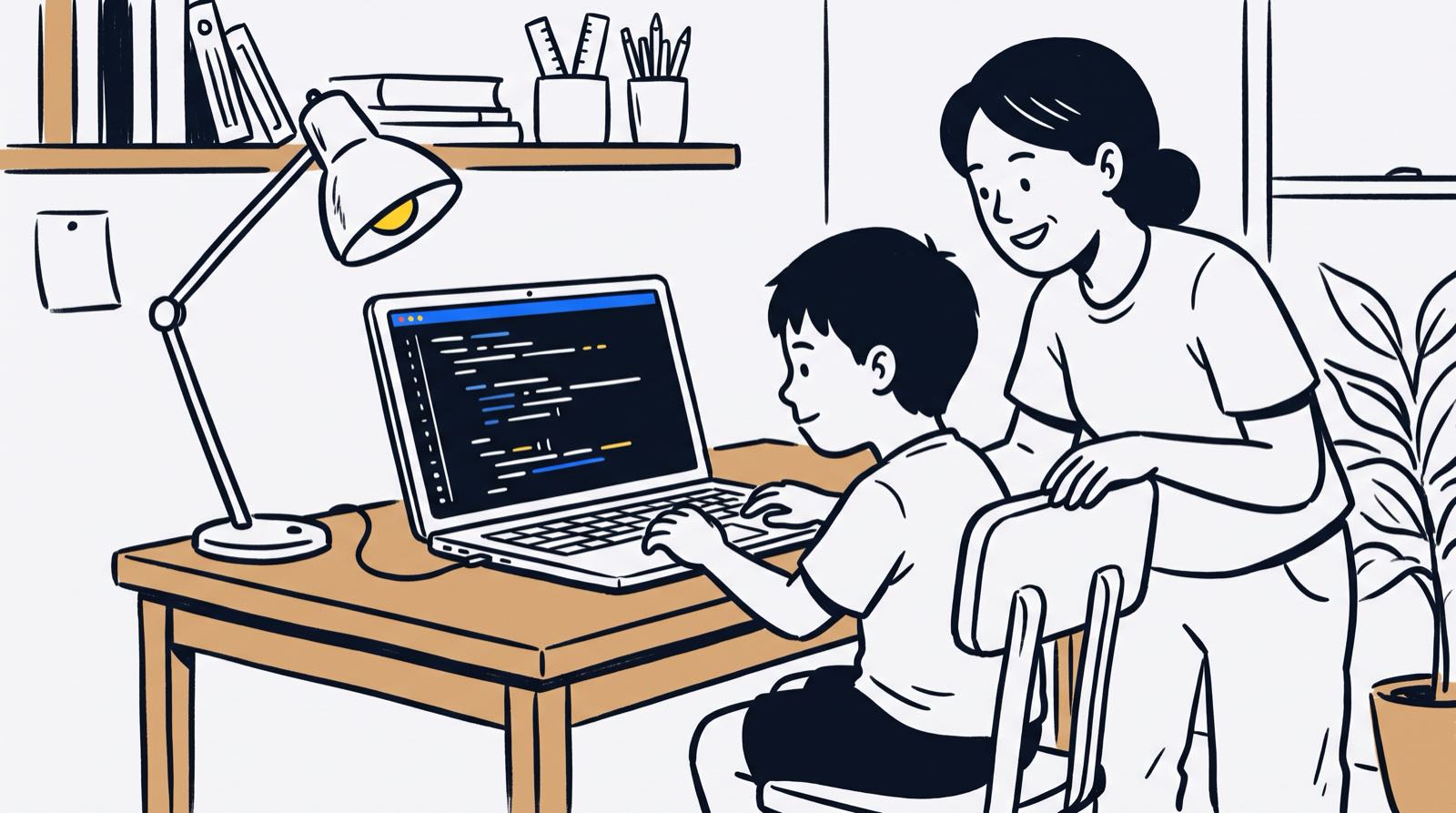
Most conversations about online safety for kids start with a block list. Parents install a site filter, cap screen time, or lock the tablet after 9pm. Then the child turns eleven, a classmate shares a proxy link, and the filter stops mattering. A different search term, a VPN app, a friend's unlocked laptop, the wall has a dozen doors in it.
Locking down devices buys time. It does not build safety. What builds safety is a child who knows how the machinery works: where data goes when they hit submit, what a padlock icon does and does not promise, why a password of four random words beats P@ssw0rd. Kids who understand web architecture, database storage, encryption, and data privacy stop being targets and start being builders who notice when something is off.
Below is what parents in Malaysia can teach instead of, or alongside, the filter.
Key Takeaways
| Safety Dimension | Traditional Focus | Technical Literacy Approach |
|---|---|---|
| Data Privacy | "Do not tell anyone your name" | Understand server database storage, cookies, and data retention rules |
| Password Security | Memorize complex strings | Learn password hashing, entropy math, and multi-factor authentication logic |
| Phishing & Scams | Avoid suspicious links | Inspect URL structures, SSL certificates, and social engineering patterns |
| AI Interactions | Limit time on AI apps | Understand data scraping, model training, prompt injection, and output bias |
| System Defense | Install antivirus software | Write defensive code, sanitize user inputs, and conduct basic security audits |
Table of Contents
- The Limits of Parental Controls: Why Blocking Apps Fail
- The State of Online Exposure for Malaysian Children
- What Digital Safety Looks Like Beyond "Don't Talk to Strangers"
- How Web Security Actually Works: The Technical Basics Kids Need to Know
- Teaching Defensive Coding: Building Cyber-Aware Builders
- AI Chatbots and Data Exposure: The New Digital Frontier
- The Math of Encryption and Password Security
- Age-Appropriate Cyber Security Progression
- Comparison: Passive Filtering vs Active Security Education
- How Kidocode Teaches Practical System Security
- Step-by-Step Action Plan for Families
- Printable Family Cyber Safety Contract and Audit Checklist
- Frequently Asked Questions
- References
The Limits of Parental Controls: Why Blocking Apps Fail
Parental control software sells reassurance. Underneath, most of it runs on static blacklists and keyword matching. The child opens a browser, the filter checks the domain against a database of blocked sites, and if the domain is not on the list, the page loads.
Three problems follow from that design.
- Evasion is easy: Children get around content filters with virtual private networks (VPNs), alternate DNS servers, unblocked web proxies, or a browser extension that circulates through a class group chat in an afternoon.
- Context is ignored: A keyword filter cannot tell a harmful site apart from a biology revision page, a cyber security tutorial, or a history article about wartime atrocities.
- Over-reliance creates vulnerability: A child who has always had danger blocked for them has never practised spotting it. On an unfiltered school computer, at a friend's house, or on café Wi-Fi, that practice is the only thing left.
Surveillance apps that log keystrokes or track location quietly carry their own cost. Instead of opening up conversations about what happened online, they push children toward burner accounts and side channels, the exact places where nobody is watching.
Road safety is the better analogy than fencing off the driveway. At some point the child crosses the road alone, and what protects them is judgment.
The State of Online Exposure for Malaysian Children
Digital exposure among Malaysian adolescents is high, which is precisely why passive supervision struggles to keep up.
A 2023 study published in the EDUCATUM Journal of Social Sciences examined digital citizenship competencies among 601 14-year-old secondary school students across Malaysia [1]. The researchers found that while 66.2% of students demonstrated good theoretical knowledge of digital citizenship, their practical application skills and digital values were significantly weaker, with 44.4% scoring at a moderate level and 5.8% scoring weak in practical skills [1].
The same study recorded daily internet usage reaching up to 10 hours per day among Malaysian adolescents [1]. The gap between what students knew and what they did showed up clearly:
- While 96.2% of surveyed students recognized that personal data should not be shared for financial prize claims, 89.5% believed sharing a peer's personal phone number without consent was acceptable if done for valid schoolwork purposes [1].
- And 87.9% relied on unverified open websites like Wikipedia as authoritative primary sources for academic assignments, highlighting gaps in information verification skills [1].
flowchart TD
    A[Online Exposure Risks] --> B{Educational Response}
    B -->|Passive Filtering| C[Blocklists & Surveillance]
    B -->|Technical Education| D[Defensive Coding & Systems Thinking]
    C --> E[Temporary Control, Zero Skill Growth]
    D --> F[Long-Term Digital Autonomy & Risk Prevention]
Regulation is catching up on the platform side. The Malaysian Communications and Multimedia Commission (MCMC) published the Child Protection Code (CPC) and Risk Mitigation Code (RMC) under the Online Safety Act 2025, enforcing strict obligations on social media and messaging service providers [2]. Those codes mandate age verification against official records, set child accounts to maximum privacy defaults, and require synthetic media labeling for AI content [2].
National studies on child online safety estimate that 100,000 internet-using children aged 12 to 17 in Malaysia experience online exploitation and abuse annually [3]. When something goes wrong, children rarely call a helpline or the police. They tell a friend, a sibling, or a caregiver [3].
Which puts the burden squarely back on the household, and on whether the conversation there is open enough to be worth having.

What Digital Safety Looks Like Beyond "Don't Talk to Strangers"
The advice children got in the 1990s and 2000s was almost entirely about strangers. That still matters. But it covers a shrinking share of the actual risk surface.
- Automated Data Harvesting: Websites, mobile apps, and browser extensions track user movements, cross-site cookies, and device fingerprints to construct behavioral profiles.
- Social Engineering & Phishing: Most attacks today work on people, not firewalls. An attacker impersonates a trusted platform, a game server, or a friend, and the user hands over the credentials voluntarily.
- Malicious Code Execution: Unvetted game mods, custom scripts, and unofficial app stores can drop spyware, keyloggers, or background crypto-miners onto a home computer.
- Permanent Digital Footprints: Anything posted to a public forum, message board, or database form can survive in web archives and database backups long after the account itself is deleted.
Once a child grasps how tracking actually works, privacy stops being a rule imposed by a parent and starts being an obvious piece of self-management.
How Web Security Actually Works: The Technical Basics Kids Need to Know
None of this requires a degree. It requires a working mental model of what sits behind the screen.
1. Client vs. Server Architecture
Open a website or launch an online game and two computers begin talking:
- The Client: The browser, phone, or game application running on the child's desk.
- The Server: A remote machine in a data center that handles database requests and serves pages.
The part children miss is what that means for anything they type. Forms, search queries, chat messages, all of it crosses physical networks to a machine owned by someone else. After it leaves the client, the server operator decides what happens to it.
2. HTTPS and Data Encryption
Plenty of children read the padlock icon or the https:// prefix as a stamp of trustworthiness. It is not one.
- HTTP (Unencrypted): Plain text travels across network routers. Anyone watching the local network can read passwords, personal details, or session tokens.
- HTTPS (Encrypted via TLS/SSL): The data is scrambled mathematically before transmission. Eavesdroppers on the local network see ciphertext. The server at the far end still decrypts it and stores the original message.
Encryption stops third parties from reading data in transit. It says nothing about who owns the destination. A phishing site can obtain a certificate as easily as a bank can.
3. Database Vulnerabilities and SQL Injection
When a student registers on a gaming forum, their username and password land in a database table. Sloppy code on the developer's side is what puts that table at risk.
Behind a simple login form, something like this runs:
SELECT * FROM users WHERE username = 'USER_INPUT' AND password = 'USER_INPUT';
If the application never checks what arrives in those fields, an attacker can feed in character sequences that trick the database into running commands the developer never wrote. Seeing that once explains why input checking is not optional in professional software.
Teaching Defensive Coding: Building Cyber-Aware Builders
At Kidocode, technical literacy is the protection. Coding comes bundled into our membership programmes because reading and writing code is what makes modern systems legible. The curriculum builds computational thinking skills and system architecture design through our dedicated tech pillar.
Students who learn web development, app development, or Python write real software. Building forms, wiring up databases, and making web requests is how they meet vulnerabilities firsthand, and then fix them.
| Defensive practice | What students actually do |
|---|---|
| Input sanitization | Clean user input before it reaches a database operation |
| Authentication | Hash passwords using salted functions |
| Access control | Check user roles before returning any data |
| Logging & auditing | Watch server traffic for unusual spikes |
1. Sanitizing Form Inputs
Building first pages in HTML, JavaScript, and a backend framework means writing validation routines: stripping dangerous characters out of input fields so a Cross-Site Scripting (XSS) payload cannot execute inside another user's browser.
2. Secure Password Handling
Beginners almost always store passwords in plain text variables at first. Our trainers treat that moment as the opening for cryptography. Students then implement hashing (SHA-256, for instance) with a unique salt:
Having written the hashing code themselves, students understand why a legitimate company cannot email back a lost password, and why a site that offers to do exactly that is telling you something.
3. API Token and Secret Security
Young builders working with external tools quickly meet Application Programming Interfaces (APIs). The classic novice mistake is committing a private API key straight into a public GitHub repository.
Project work covers environment variables and keeping credentials out of source control. That is usually enough to make the lesson stick about how keys leak in the first place.
AI Chatbots and Data Exposure: The New Digital Frontier
Conversational AI arrived in homes faster than the guidance did. A late-2025 survey by Pew Research Center found that roughly two-thirds of U.S. teens aged 13 to 17 report using AI chatbots, with 30% using them daily and 59% explicitly using ChatGPT [4]. Overall, 97% of teens report using the internet daily, with 40% describing themselves as online almost constantly [4].
flowchart LR
    A[Student Prompt Data] --> B[AI Provider Servers]
    B --> C[Model Fine-Tuning Corpus]
    B --> D[Human Reviewer Audits]
    C --> E[Potential Exposure in Future Model Outputs]
Students tend to treat the chat window like a private notebook. It is closer to a form submission. For more on managing this at home, read our guide on what parents should do when kids use ChatGPT for homework.
Data Retention in Model Training
Prompts sent to public AI models get logged and processed on the provider's infrastructure to improve later releases. Paste in homework details, a school address, or someone's source code, and that text has entered the platform's pipeline.
Three principles are worth teaching directly:
- Never Input Personally Identifiable Information (PII): Full names, birthdates, home locations, school details, and account credentials stay out of the prompt box.
- Recognize Prompt Injection and Manipulation: A web page can carry hidden text written to hijack an AI system when a student copies that page into a chatbot for summarizing.
- Evaluate Hallucinations and Source Claims: These models generate language from training probabilities; they do not hold verified knowledge. Facts, code, and links that come out of a chatbot need checking against primary technical documentation.
For a broader discussion on digital ethics and algorithmic bias, explore our detailed analysis of navigating safety, misinformation, and responsible use in AI.
The Math of Encryption and Password Security
Cyber security rests on arithmetic. Our math pillar ties those abstract calculations to the systems students already use.
Password Combinations and Combinatorics
"Make it longer" is unconvincing. The combinatorics are not.
The total number of possible combinations for a password of length using a character set of size is:
For a 4-digit numeric PIN, and :
A basic script chews through 10,000 combinations in milliseconds.
Now take a 12-character passphrase using lowercase letters, uppercase letters, numbers, and symbols, so :
At one billion attempts per second, brute-forcing combinations takes over 15,000 years. Once a child works that exponent out on paper, length stops being an arbitrary requirement and clever character swaps stop looking clever.

Age-Appropriate Cyber Security Progression
Database mechanics are wasted on a six-year-old. Vague warnings are wasted on a sixteen-year-old. The sequence matters.
| Stage | Core focus |
|---|---|
| Ages 5–8: Physical Foundations | Device boundaries, physical privacy, trusted adult signals |
| Ages 9–12: Architectural Basics | Client/server separation, password math, URL structure analysis |
| Ages 13–18: Systems & Defensive Code | Input sanitization, API token management, threat modeling |
Ages 5–8: Physical Foundations and Device Awareness
Habits first, concepts second:
- Screen Privacy: Screens are visible to whoever is standing nearby in a public place.
- Account Boundaries: Accounts belong to one family member and are not lent to friends.
- Pause and Ask Habits: An instinct to call a parent whenever an unexpected popup, download request, or payment screen appears.
Ages 9–12: Architectural Basics and Network Literacy
Upper primary students can follow data across a network:
- Inspecting Web Addresses: Reading a domain properly,
login.paypal.com.account-update.ruis hosted onaccount-update.ru, notpaypal.com. - Managing Digital Identity: How cookies hold login state, and why a public computer needs an explicit logout.
- Game Mod Security: Judging third-party downloads, spotting file extensions like
.exe,.scr, and.bat, and steering clear of unverified mods.
Ages 13–18: Systems Thinking, AI, and Defensive Coding
Teenagers already use complex systems on their own terms, so the frameworks can be rigorous:
- Multi-Factor Authentication (MFA): Setting up authenticator apps instead of leaning on SMS reset codes.
- Threat Modeling: Asking who owns a platform, what its business model is, what data it collects, and how that data could be misused.
- Defensive Code Practices: Validating input parameters, handling errors properly, and keeping secret tokens out of the codebase.
Comparison: Passive Filtering vs Active Security Education
| Feature / Dimension | Passive Parental Control Software | Active Technical Security Education |
|---|---|---|
| Primary Mechanism | Domain blocking, keyword blacklists, time caps | Knowledge of web protocols, system defense, data audit |
| Effectiveness Away from Home | Zero (applies only to configured family devices) | Universal (skills travel with the child everywhere) |
| Impact on Parent-Child Trust | Can create friction due to monitoring software | Builds collaboration through shared technical audits |
| Adaptability to New Threats | Slow (requires vendor update of blocklists) | Fast (child applies foundational logic to new risks) |
| Long-Term Career Value | None | High (develops foundational software and IT skills) |
| Coverage of AI Interactions | Limited to blocking entire AI domains | Teaches prompt security, data boundaries, and bias checks |
How Kidocode Teaches Practical System Security
Kidocode is Malaysia's coding and AI school for students aged 5 to 18, running five physical campuses across the Klang Valley (Solaris Mont Kiara flagship, Sunway Nexis PJ) and Penang (Q2 Waterfront Bayan Lepas, Vantage Tanjung Tokong, Icon City Bukit Mertajam), plus live online sessions.
Security is not a standalone module here. It runs through three pillars:
| Pillar | Security content |
|---|---|
| 1. AI to Survive | Directing models safely, managing data risks |
| 2. Math to Think | Cryptography logic, combinatorics, algorithms |
| 3. Tech to Build | Writing secure web, mobile, and backend apps |
- AI to Survive: Students learn to direct AI models effectively while evaluating output accuracy, identifying hallucinated code, and guarding personal prompt data. Learn more on our dedicated AI pillar page.
- Math to Think: Students discover how mathematical concepts power encryption algorithms, password entropy, and data processing routines.
- Tech to Build: Students write real code across six technical tracks (Python, Web Development, Mobile Apps, Game Development, Electronics, and 3D Modeling). Coding is bundled free within our degree memberships because computational thinking is the foundational skill we teach.
There are no lectures on digital hazards. There is a student who builds a web backend, watches it break under a test input, and patches it. That sequence teaches more than any warning does.
We maintain a 4.6-star Google review rating backed by over 177 parent reviews, having trained more than 9,500 active students since 2014. Our curriculum design is guided by our founder, Hossein Tohidi (known as Unclecode), a computer scientist and AI researcher who created Crawl4AI (an open-source project with over 76,000 GitHub stars and 12 million downloads).
Step-by-Step Action Plan for Families
Four steps, done together with your child rather than about them.
Step 1: Conduct a Household Device and Account Audit
Book a slot and go through every active device, app, and web account:
- Remove unused browser extensions and unverified apps.
- Review app permissions (location access, camera, contacts) on mobile devices.
- Ensure operating systems, web browsers, and antivirus software run current security patches.
Step 2: Upgrade Authentication Practices
Replace weak passwords on the accounts that matter most, email, school portals, main gaming platforms:
- Adopt a password manager, or build memorable passphrases from four random words.
- Enable Multi-Factor Authentication (MFA) using authenticator applications rather than SMS fallback options where supported.
Step 3: Establish Clear Home Data Boundaries
Agree on what never gets posted, typed into a web form, or pasted into an AI chatbot:
- Full residential addresses, phone numbers, and official identification details.
- Financial information, credit card numbers, and banking credentials.
- Travel schedules, home empty hours, and realtime location check-ins.
Step 4: Schedule Regular Technical Check-Ins
Fifteen minutes every fortnight, spent on what your child has been building, which apps are new, and anything odd they ran into. Curiosity works. Interrogation does not.

Printable Family Cyber Safety Contract and Audit Checklist
Print this out and fill it in together.
- I will use passphrases with at least 4 random words for my primary accounts.
- I will never share my passwords or account details with friends or classmates.
- I will inspect URLs carefully before entering login details on any web page.
- I will check with a parent before downloading executable files (.exe, .scr, .zip) or game mods.
Designed, ready to print and sign. We email it to you together with a 5% discount on your next registration.
Frequently Asked Questions
Should I install parental control software on my child's phone?
For ages 5 to 8, yes, content filtering and screen-time limits are reasonable guardrails at that stage. Just do not mistake them for education. By upper primary and secondary school, those blocks come off easily, and what remains is whatever the child actually understands. Basic device settings plus real technical teaching is the combination that lasts.
Is coding necessary to understand online safety?
It is the fastest route. Writing software, building websites, and working with databases shows a child exactly how user data moves across a network. That view from the inside is what makes phishing attempts, risky inputs, and exposure points recognizable without being told.
My child uses ChatGPT for homework. Is that a security risk?
It becomes one when personal data goes into the prompt window, or when the output gets accepted without checking. Teach your child to keep personal details, real names, and credentials out of prompts entirely. Remind them that platforms retain prompt history for training, and that anything the model produces needs a source check.
What should I do if my child accidentally clicks a suspicious link?
Do not lead with anger or confiscation, that only guarantees the next incident stays hidden. Disconnect the device from the network (turn off Wi-Fi or unplug the ethernet cable), run an updated antivirus scan, change account passwords from a different clean device, then sit down and pick apart the link structure together so the trick is visible.
At what age should kids learn about cybersecurity?
Around age 5, through physical device rules and screen privacy. The systematic material, client/server mechanics, password combinatorics, domain inspection, fits best between ages 9 and 12. From 13 to 18, students can work directly with defensive coding, API security, and database sanitization.
How does Kidocode address online safety in its classes?
Safety is embedded in the coding, math, and AI curricula rather than delivered as a separate lecture. Students build web applications, write backend code, handle data inputs, and direct AI systems with those risks in mind. Breaking a system you built yourself is a fast way to learn how to secure one.
Learn How Your Child Can Build Secure Software at Kidocode
Keeping a child safe online is less about limiting access than about making the systems legible to them.
At Kidocode, students aged 5 to 18 learn to direct AI models, master mathematical logic, and write real code across web, app, game, and Python tracks. Every project reinforces computational thinking, system defense, and digital literacy.
See it in practice by booking a free trial class. Available at our five Malaysian campuses (Solaris Mont Kiara, Sunway Nexis PJ, Q2 Waterfront Bayan Lepas, Vantage Tanjung Tokong, Icon City BM) and through live online sessions, the two-hour trial gives your child a real project to build while both parents watch how they learn.
References
- Maliki, N. K., Bahari, K. A., Ali, R., Ahmad Tajuddin, S. N. A., Al-Majdhoub, F. M. H., & Baboo, S. B. (2023). Digital Citizenship Competency Among Teenagers in Malaysia. EDUCATUM Journal of Social Sciences, 9(2), 94–105. https://ejournal.upsi.edu.my/EJOSS/article/download/8946/4774/41938
- Flint Global. (2026, May 26). Flint Flash Update: Malaysia's New Online Safety Codes. https://flint-global.com/blog/flint-flash-update-malaysias-new-online-safety-codes/
- Safe to Learn Coalition / End Violence Partnership. (2023, March 30). Malaysia Takes Pivotal Steps to Protect Children from Online Sexual Exploitation and Abuse. https://www.safetolearncoalition.org/stories/malaysia-takes-pivotal-steps
- Pew Research Center. (2025, December 9). Teens, Social Media and AI Chatbots 2025. https://www.pewresearch.org/internet/2025/12/09/teens-social-media-and-ai-chatbots-2025/
- DQ Institute. (2023). Child Online Safety Index (COSI) & Global Databank Overview. https://www.dqinstitute.org/child-online-safety/
- UNICEF Malaysia, ECPAT International, & INTERPOL. (2022, September). Disrupting Harm in Malaysia: Evidence on Online Child Sexual Exploitation and Abuse. UNICEF Malaysia. https://www.unicef.org/malaysia/reports/disrupting-harm-malaysia