


Malaysian children spend a large share of their waking hours inside mobile apps. They message classmates, queue up videos, play games, and scroll social feeds. The phone screen is now the main door into the digital world for most of them, and the traffic through that door runs one way. They tap what someone else designed.
Parents who look into a mobile app development course for kids are almost never hoping to produce a professional software engineer by Standard Six. The question they are really asking is simpler and harder: is building mobile apps worth the hours it will take from a child's week?
What follows covers the skills a child picks up while building an app, the difference between consuming and constructing on the same device, the school mathematics hidden inside app layouts, and the way AI coding tools have changed the beginner's path.
Key Takeaways
| Topic | Core Insight | Parent Action |
|---|---|---|
| Consumer to Creator Shift | Most youths acquire basic digital browsing skills, not productive technical competencies. App dev bridges this gap. | Shift home focus from restricting device screen time to directing mobile creation projects. |
| Cognitive Progression | Structured coding curricula significantly boost problem-solving and computational thinking scores in primary students. | Choose structured, project-first courses over passive video tutorials. |
| Integrated Mathematics | App layouts, animation physics, and screen coordinates bring school geometry and algebra to life. | Reframe math struggles by showing kids how math works as the engine inside their app. |
| AI Assistance in 2026 | AI tools handle syntax heavy-lifting, allowing young builders to focus on logic, architecture, and user experience. | Ensure your child learns to direct AI coding assistants rather than simply memorising raw code syntax. |
| Platform Selection | Visual block builders suit ages 5 to 8, while text and AI-assisted frameworks suit ages 9 to 18. | Align platform complexity with your child's developmental stage and typing confidence. |
Table of Contents
- The Mobile Paradox: High Screentime, Low Digital Capital
- What Kids Actually Learn in a Mobile App Development Course
- Cognitive and Problem-Solving Benefits: What the Data Shows
- How Mobile App Development Embeds Practical Mathematics
- Comparing Mobile Development Platforms for Young Builders
- The Modern Learning Ladder: Visual Blocks to AI-Assisted Text Coding
- Addressing Common Parent Concerns
- How Kidocode Teaches Mobile App Development in Malaysia
- Actionable 4-Week Home Discovery Roadmap
- Frequently Asked Questions
- References
The Mobile Paradox: High Screentime, Low Digital Capital
Growing up with a smartphone in hand does not hand a child technical skill. Research on educational technology and national digital literacy keeps drawing the same line between media consumption and digital capital, and children born after 2010 sit firmly on the consumption side of it.
A study of Malaysia's educational digital policies found that young people log substantial hours on digital devices while their competencies stay confined to web browsing, social media navigation, and online gaming [6]. Those surface activities do not turn themselves into digital productivity or computational problem-solving [6]. Malaysia placed 26th out of 64 countries in the IMD World Digital Competitiveness Ranking 2020, which is the gap the country is trying to close: moving youth from device usage to technical creation [6].
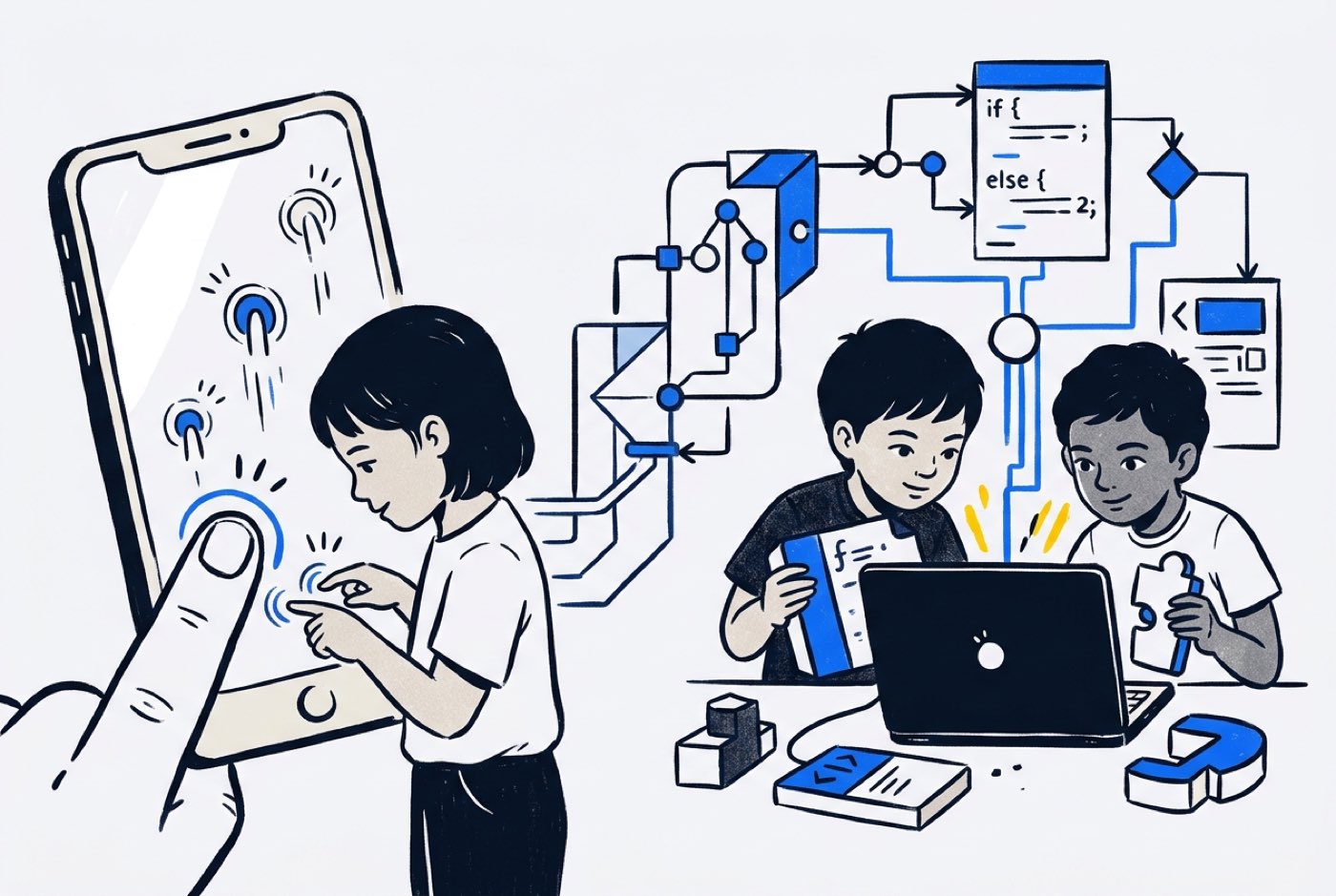 Screen interaction on its own does not appear to harm cognitive development. An eight-year longitudinal study following 260 adolescents found that higher accumulated screen time from childhood was associated with stronger cognitive processing in the teenage years, particularly where the digital activity involved active learning and problem-solving [8]. A separate analysis by the Oxford Internet Institute, covering nearly 12,000 children in the United States, found no evidence that daily screen exposure damages brain function or well-being [3].
Medical and educational researchers make the same point repeatedly: how children use screens matters far more than how long they use them [5], [7]. Interactive tasks that demand active problem-solving produce positive developmental outcomes [5].
Mobile app development lands exactly there. The device a child taps at without thinking becomes a sandbox for systems engineering, interface design, and algorithmic thinking.
What Kids Actually Learn in a Mobile App Development Course
Typing code is a small slice of building a mobile app. The rest draws on several different disciplines at once.
1. User Interface (UI) and User Experience (UX) Design
Before any code gets written, students plan how someone will use the thing they are making. They wireframe layouts, set visual hierarchies, pick colour schemes, and map navigation flows. That work forces a question most children have never asked: is this button obvious to a stranger opening the app for the first time?
2. Event-Driven Logic and State Management
A linear script runs top to bottom. A mobile app waits. It sits idle until a user taps a button, swipes a screen, or tilts the device, and only then does anything happen. Kids learn to structure logic around those inputs:
- Event: User taps the "Submit Homework" button.
- Condition: Is the text box empty?
- Action: If empty, display an alert banner; if filled, save data and update the screen display.
3. Hardware Integration and Mobile Sensors
Phones are stuffed with physical sensors: accelerometers, gyroscopes, GPS modules, cameras, touch displays. A dedicated mobile track teaches children how software talks to that hardware. They build apps that react to movement, read location coordinates, or process camera input.
4. API and Data Integration
Further along, students connect their apps to external databases and Application Programming Interfaces (APIs). A student might pull live weather data, query an online dictionary, or wire a generative AI API into the app to analyse text.
5. Debugging and Iterative Testing
Almost nothing works on the first run. Buttons drift out of alignment, rotating the phone wrecks the layout, a logic error crashes the whole thing. Testing on a real device teaches patience and structured troubleshooting, which is a different lesson from any of the above.
Cognitive and Problem-Solving Benefits: What the Data Shows
Parents often mention that their child starts approaching non-technical problems differently after a few months of building software. The research backs up what they are noticing.
A peer-reviewed study of 200 primary school students aged 8 to 12 measured the cognitive effects of a 24-week programming curriculum [1]. Students receiving structured programming instruction posted statistically significant gains in problem-solving, rising from a baseline mean of 17.8 to 23.5 () [1]. Their computational thinking scores climbed from 20.4 to 30.6 () [1].
The authors also flagged the concrete operational stage, roughly ages 7 to 11, as a critical window for forming abstract algorithmic thinking through programming [1].
Computational thinking improvement (Wang et al., 2026)
| Group | Computational thinking score | Statistical result |
|---|---|---|
| Control group | Baseline maintained | No significant gain |
| Coding group | 20.4 → 30.6 (+50%) |
Younger children show movement too. Systematic literature reviews covering children aged seven and under find that block-based coding applications support the development of foundational computational thinking concepts [4]. Tools such as ScratchJr give young learners a visual sandbox where creative ideas and core sequence, loop, and conditional logic arrive together [4].
What transfers out of the app-building process is a method, not tool knowledge:
- Decomposition: Breaking a large idea, say a fitness tracking app, into smaller modules such as a pedometer counter, a profile page, and a goal alert.
- Pattern Recognition: Spotting repeated code patterns, such as one layout rule applied across multiple list items.
- Abstraction: Getting the core features working first and leaving decorative details until the functional logic holds.
- Algorithmic Design: Defining step-by-step rules for how data moves through the app.
How Mobile App Development Embeds Practical Mathematics
After working with thousands of students across Malaysia, one pattern at Kidocode stands out: children rarely hate mathematics. They hate context-free drill sheets. Present maths as an endless run of textbook exercises and plenty of capable young minds simply switch off.
Mobile app development gives those same concepts somewhere to live. School syllabi, whether Cambridge, IGCSE, or the standard Malaysian primary and secondary frameworks, cover the material a child needs to position elements on a screen. When they design an interface, the symbols on the page start governing what the screen does.
1. Cartesian Coordinates and Screen Geometry
Placing an image, button, or animation on a phone screen means working in two-dimensional coordinates . School graph paper puts the origin in the bottom-left corner. Mobile screens put it in the top-left pixel, which is the first small shock most students hit.
Working out element positions, screen margins, and proportional button widths pulls in addition, subtraction, fractions, and percentage ratios without anyone announcing a maths lesson:
That one line centres a button on any smartphone screen at any resolution. Division and algebra, with an immediate visual result.
2. Variables, Dynamic Scaling, and Algebra
Data inside an app never sits still. Score counters, shopping cart totals, and timer countdowns all need variables, so children end up manipulating dynamic equations:
Change a variable, watch the display change. Algebra becomes intuitive well before anyone meets a formal proof in secondary school.
3. Logic Operations and Boolean Math
App features lean heavily on Boolean logic (AND, OR, NOT). A student building a school study planner writes rules like this:
- If
AssignmentsDue > 0ANDIsWeekend == True, display reminder notification.
Pure mathematical logic, doing a job. For a closer look at how building projects rebuilds mathematical confidence, see our guide on learning math through building.

Comparing Mobile Development Platforms for Young Builders
The right framework depends on your child's age, typing fluency, and previous coding experience. Drop a 9-year-old into native Android Java and you will get frustration. Keep a tech-savvy 15-year-old on basic block tools and you will get boredom.
Here is how the main platforms used in coding education compare:
| Platform | Best For Ages | Syntax Style | Hardware / Sensor Access | Best Project Types |
|---|---|---|---|---|
| ScratchJr | 5 to 7 | Visual icon blocks | Touch screen taps | Simple interactive stories, animated scenes |
| MIT App Inventor | 8 to 12 | Visual puzzle blocks | Full device access (GPS, camera, accelerometer) | Utility apps, quiz games, soundboards, Bluetooth tools |
| Thunkable | 10 to 14 | Drag-and-drop blocks + JavaScript export | Advanced device features, web API connectors | Cross-platform iOS/Android apps, e-commerce prototypes |
| Flutter (Dart) | 13 to 18 | Text coding with AI assistant support | Professional native access | Production-grade mobile apps, real-time chat tools, AI tools |
| React Native | 14 to 18 | Text coding (JavaScript/TypeScript) | Professional native access | Modern cross-platform apps, web-and-mobile unified platforms |
Still deciding between the two entry routes? Our guide on web development vs app development for kids compares them in detail.
The Modern Learning Ladder: Visual Blocks to AI-Assisted Text Coding
Getting from beginner to text-based developer used to mean years of syntax memorisation. Months went into bracket placement, semicolons, and indentation rules before a child could ship anything that ran.
AI coding assistants such as GitHub Copilot, ChatGPT, and custom LLM tools have shortened that stretch considerably. They absorb the boilerplate and the syntax errors, which lets young learners reach architecture, algorithmic logic, and interface flow far earlier than their older siblings did.
The ladder now looks like this:
timeline
    title App Developer Learning Curve
    Ages 5 to 7 : Visual logic blocks : Interface drag and drop
    Ages 8 to 11 : Block app builders : Sensor and logic integration
    Ages 12 to 14 : AI assisted text coding : Flutter and UI components
    Ages 15 to 18 : Full stack mobile engineering : API and backend deployment
Phase 1: Visual Logic and Touch Interfaces (Ages 5–7)
Younger children build computational fluency without needing to type. Visual blocks teach sequence (order of commands), loops (repeating actions), and event triggers. Every command shows up instantly as an object moving, speaking, or reacting on a tablet.
Phase 2: Sensor-Driven Block Apps (Ages 8–11)
Students move to MIT App Inventor or Thunkable. They design two-screen and three-screen apps, store user input in variables, and start pulling in phone hardware. Typical projects: location-based treasure hunts, step counters running off accelerometer data, custom calculators.
Phase 3: AI-Assisted Text Development (Ages 12–14)
Once typing confidence and algebraic reasoning are in place, students shift into real text coding with Flutter (Dart) or React Native (JavaScript). With AI assistants inside their editors, they learn to prompt for screen layout components, diagnose bugs, and get complex function calls explained. The assistant works as a co-developer on call, which clears the syntax bottleneck.
Phase 4: Full-Stack Mobile Engineering (Ages 15–18)
Teens assemble complete systems. Mobile frontends connect to cloud backends, users log in through real authentication, live databases get queried, and custom AI APIs go straight into the app. On whether AI changes the case for learning to code at all, read our article on whether kids should still learn code when AI writes software.
Addressing Common Parent Concerns
Parents evaluating a mobile app course at our Klang Valley and Penang campuses, or for our live online classes, tend to raise the same three questions. Here are the answers we give families.
"Will taking an app course increase my child's harmful screen time?"
This one comes up more than any other. The distinction that matters is between passive consumption and active engineering. Passive screen time means sitting back while a recommendation algorithm serves up whatever keeps you watching.
Building an app runs on planning, logic, layout decisions, and debugging. Harvard Medical School research makes the point directly: the cognitive impact of screens depends on how the brain is engaged during use [7]. The phone stops being a distraction machine and becomes a workbench.
"Is my 8-year-old child too young to learn app development?"
If a child has the motor skills and curiosity to play a game on a phone, they can start learning how that game was put together.
As founder Unclecode often puts it, the age is not the variable; the teaching method is. Younger children begin on visual block platforms with no typing required at all, then move to text code and AI integration as their confidence grows.
"Will AI make learning app development obsolete by the time my child graduates?"
AI writes syntax quickly. It cannot tell you which local problem is worth solving, how a human wants the app to feel, or how several digital systems should fit together safely.
Learning mobile app development in 2026 is not a memorisation exercise. It is systems architecture, computational logic, data security, and knowing how to direct AI tools well. A child who can architect an app and brief an AI assistant to build it will outpace anyone working the old way.
How Kidocode Teaches Mobile App Development in Malaysia
Kidocode is Malaysia's coding and AI school for kids aged 5 to 18, with flagship campuses in Kuala Lumpur (Solaris Mont Kiara, Sunway Nexis PJ), Penang (Q2 Waterfront, Vantage Tanjung Tokong, Icon City Bukit Mertajam), and a live online academy. More than 9,500 students have built projects with us since 2014, and our independently verified Google rating stands at 4.6 stars.
Three pillars hold up the membership:
| Kidocode Membership | What it means |
|---|---|
| Pillar 1: AI School First | Learn safety, ethics, and how to direct AI tools. |
| Pillar 2: Math Through Builds | No drill worksheets; math is the engine inside projects. |
| Pillar 3: Tech Tracks (coding bundled) | Six tracks: Python, Web, Mobile, Game, Electronics, 3D. |
- AI School First: We teach children how artificial intelligence works, how to write safe and effective prompts, and how to use AI coding assistants responsibly to move technical projects along faster.
- Math Through Builds: We deliver standard international mathematics syllabi (IGCSE, Cambridge, US Common Core) through hands-on app, game, and AI builds instead of worksheets.
- Tech Tracks (Coding Bundled Free): Coding is public knowledge now. Our membership bundles coding instruction free across six practical tracks: Python, Web Development, Mobile Development, Game Design, Electronics, and 3D Modeling. What we actually teach is computational thinking, software architecture, and problem-solving.
Students in the Mobile Track do not sit through weeks of lectures. Every session ends with something working on a mobile interface. A 9-year-old might leave having built a custom soundboard app for a school project; a 15-year-old might deploy an AI-powered translation app running natively on a parent's Android phone or iPhone.
To see the environment for yourself, book a free 2-hour trial class at any of our five Malaysian campuses or online. We encourage both parents to attend, watch their child build a real project, and see the personalised trainer model at work.
Actionable 4-Week Home Discovery Roadmap
Before paying for any course, you can test your child's interest over four weeks at zero cost.
Week 1: Deconstruct Favorite Apps
Open two of your child's favourite apps together and ask them to audit the design:
- Where is the top menu bar placed?
- What happens when you swipe left versus tapping a button?
- Why did the designer put the primary action button at the bottom of the screen, within thumb reach?
Week 2: Sketch a Paper Wireframe
Hand over three sheets of paper. Have your child draw three tall rectangles as phone screens, then design an app that solves a personal or family problem: a chore tracker, a pet feeding reminder, a family recipe organiser. Every button, text field, and image box gets drawn.
Week 3: Build First Visual Prototype
Spend 60 minutes on a free visual platform such as MIT App Inventor or Scratch. One screen, one button, one image. Program the button so a tap changes the text display or plays a recorded audio file.
Week 4: Test on a Physical Device
Export the project or open it in a companion viewer app on a smartphone. Then watch what happens when your child taps a button on a real phone and software they built responds. That reaction tells you most of what you need to know.
Printable Parent Evaluation Checklist for Mobile App Courses
Print or save this checklist when evaluating mobile app development programmes for your child:
- Project-First Methodology: Does the course require students to publish working mobile projects, or is it based on passive video lectures and text quizzes?
- Modern AI Integration: Does the curriculum teach students how to safely use AI tools to assist code creation and debugging, or is it relying solely on manual syntax memorisation?
- Hardware & Sensor Coverage: Will my child learn how to interact with real device hardware (camera, GPS, accelerometer, touch events)?
- Integrated Math Application: Does the instructor connect screen layouts, coordinates, and variables to practical school math concepts?
Designed, ready to print and sign. We email it to you together with a 5% discount on your next registration.
Frequently Asked Questions
What age is best for a child to start a mobile app development course?
Children as young as 5 to 7 can start building foundational logic using visual block tools like ScratchJr on touchscreen tablets. Structured mobile app creation platforms such as MIT App Inventor suit ages 8 to 11, while text-based frameworks (Flutter, React Native) with AI assistance work for students aged 12 to 18.
Does my child need a high-end computer to build mobile apps?
No. For beginners on block builders like MIT App Inventor or Thunkable, a standard browser on a basic laptop or Chromebook does the job. Apps get tested either on web emulators or directly on a physical smartphone connected over Wi-Fi. Advanced text coding in Flutter or React Native runs better on a mid-range laptop with 8GB to 16GB of RAM.
How does mobile app development compare to game development or web development?
Web development centres on browser-based layouts and site architecture, which we cover in our guide to web development vs app development for kids. Game development leans on 2D/3D physics engines and graphics. Mobile app development emphasises user experience (UX), touchscreen interactions, device sensor hardware, and mobile database integration. All three build core computational thinking skills.
Will learning mobile app development help my child with school subjects?
Yes. Building mobile apps reinforces coordinate geometry, algebraic variables, logic, and percentages directly. Writing clear app prompts and structuring project documentation also sharpens communication, logical reasoning, and creative problem-solving across other subjects.
Can my child build mobile apps for both Android and iPhones?
Yes. Cross-platform tools like Thunkable, Flutter, and React Native let students write one codebase that deploys natively to Android and iOS. Students come away with universal software architecture principles rather than platform-locked mechanics.
References
- Wang, X., Wan, F., & Dai, J. (2026). Effects of a 24-Week Coding Curriculum on Primary School Students' Computational Thinking and Problem-Solving Skills. Frontiers in Psychology / PubMed. https://pubmed.ncbi.nlm.nih.gov/41847052/
- World Economic Forum & Sea. (2020). ASEAN Youth Survey 2020: COVID-19 The True Test of Digital Resilience. World Economic Forum Report. https://www3.weforum.org/docs/WEF_ASEAN_Youth_Survey_2020_Report.pdf
- Oxford Internet Institute. (2023). No Evidence Screen Time is Negative for Children's Cognitive Development and Well-being: Oxford Study. University of Oxford. https://www.oii.ox.ac.uk/no-evidence-screen-time-is-negative-for-childrens-cognitive-development-and-well-being-oxford-study/
- Papadakis, S. (2021). The Impact of Coding Apps on Young Children's Computational Thinking: A Systematic Review. Frontiers in Education. https://www.frontiersin.org/journals/education/articles/10.3389/feduc.2021.657895/full
- Kar, S. S., Dube, R., Goud, B. K. M., et al. (2025). Screen Time Exposure and Child Development Domains: A Comprehensive Narrative Review. Children / PMC. https://pmc.ncbi.nlm.nih.gov/articles/PMC12563978/
- Ayob, N. H., Hamzah, I. S., & Aziz, M. A. (2021). Bridging the Digital Divide in Education: Policies and Strategies in Malaysia. Journal of Tourism, Hospitality and Environment Management (JTHEM). https://www.researchgate.net/publication/355855241_BRIDGING_THE_DIGITAL_DIVIDE_IN_EDUCATION_POLICIES_AND_STRATEGIES_IN_MALAYSIA
- Ruder, D. B. (2019). Screen Time and the Brain. Harvard Medical School Feature. https://hms.harvard.edu/news/screen-time-brain
- Jalanko, P., Leppänen, M. H., Bond, B., et al. (2026). Accumulated Screen Time from Childhood to Adolescence and Cognitive Processing: The PANIC Study. ScienceDaily / Pediatric Exercise Science. https://www.sciencedaily.com/releases/2026/08/260815064803.htm