


Parents ask me this almost every week now, usually somewhere in the middle of a trial session while their kid is busy building something. My answer hasn't changed much: syntax stopped being worth paying for, and computational thinking got more valuable than it has ever been.
If "coding" means memorising syntax rules, typing boilerplate brackets, and hunting for a missing semicolon, that skill is losing market value fast. Generative AI writes boilerplate Python, JavaScript, and HTML faster than any human can type it [1].
But if "coding" means breaking a messy problem into parts, writing precise instructions, checking whether the logic actually holds, and designing a system that doesn't collapse under its own weight, then learning to code is still the best gym we have for those mental muscles [2].
The dividing line among kids today isn't who can type code. It's who can point an AI at a hard problem and steer it, versus who gets quietly steered by whatever the AI hands back.
Here's what has actually changed for Malaysian parents deciding where to put their child's time and money.
Key Takeaways for 2026 Parents
| Old View of Coding | The 2026 Reality with AI | What Your Child Needs Instead |
|---|---|---|
| Focuses on memorising syntax rules and typing speed. | Large language models generate working syntax in seconds [1]. | Computational thinking: problem decomposition, abstraction, and system logic. |
| Starts with years of syntax drills before building a real app. | AI tools let kids build functional apps, web tools, and games from day one [3]. | AI fluency: directing AI models, evaluating outputs, and refining instructions. |
| Treats math as an isolated school subject with worksheets. | Applied math is what lets you direct AI models, game physics, and algorithms [2]. | Math by building: using geometry, logic, and algebra in real projects. |
| Prepares kids to be manual software writers. | Prepares kids to be system architects, problem solvers, and AI operators. | Cross-disciplinary problem-solving across AI, math, and tech tracks. |
Table of Contents
- What AI Genuinely Does Well (and Where It Still Fails)
- Evidence from the Market: What Employers and Engineering Teams Actually Screen For
- The Three Durable Skills Underneath the Syntax
- The Plateau Effect: Why Kids Who Skip Fundamentals Get Stuck
- How a Good 2026 Tech Curriculum Changes
- Age-by-Age Guide: What to Focus On from Ages 5 to 18
- How We Structure Learning at Kidocode
- Actionable 4-Week Action Plan for Parents
- Printable AI-Age Home Tech Checklist
- Frequently Asked Questions
- References
What AI Genuinely Does Well (and Where It Still Fails)
Before deciding what your child should learn, it helps to look honestly at what these tools do and don't do.
Code assistants are very good at producing standard structures. In a controlled crossover study, McKinsey found that developers using generative AI finished code documentation in half the time and wrote new code in close to half the time they needed without it [1].
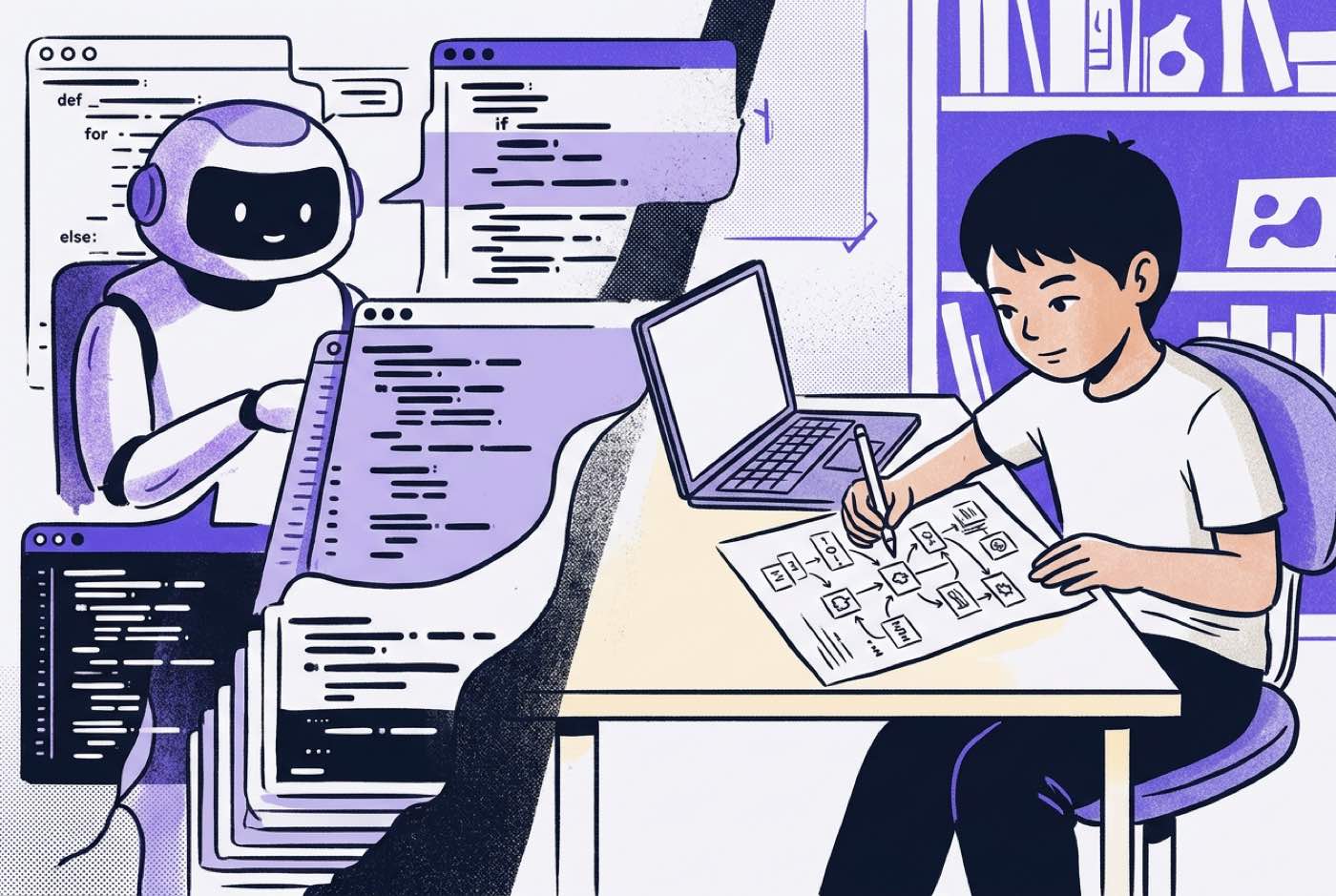 The same study found where that advantage stops. On tasks rated high in complexity, the time savings shrank to under 10% [1]. For junior developers with less than a year of experience, complex tasks took 7% to 10% longer with AI tools than without them [1].
The reason is straightforward. When the AI produced code with a subtle logic bug or a wrong architectural assumption, the juniors didn't have the background to spot it, let alone fix it [1]. They spent their saved time chasing the mess.
graph TD
    A[Parent or Kid Prompt] --> B[AI Generates Code]
    B --> C{Kid Understands Fundamentals?}
    C -->|Yes| D[Verifies Code & Fixes Logic]
    C -->|No| E[Accepts Hallucinated Code]
    D --> F[Project Ships Successfully]
    E --> G[System Breaks & Progress Stops]
The 2025 Stack Overflow Developer Survey, which covered more than 49,000 developers worldwide, put a number on this frustration: 66% named "AI solutions that are almost right, but not quite" as their biggest daily annoyance [4]. More of them actively distrust the accuracy of these tools (46%) than trust it (33%) [4].
So AI is a multiplier for someone who already understands the logic, and a trap for someone who doesn't. The multiplier works in both directions.
Remember what these models are doing underneath. They predict the next likely token from patterns in their training data. They aren't reasoning mathematically, judging space, or holding your system's context in mind unless a human puts those boundaries in place [2].
Evidence from the Market: What Employers and Engineering Teams Actually Screen For
When I hire for software work, including open-source projects like Crawl4AI that handle high-volume web processing in production, nobody gets points for having memorised Python syntax. You can look that up in seconds, or ask an assistant.
What technology teams screen for instead, in Malaysia and across Southeast Asia, looks like this:
- Problem Specification: Can this person turn a vague real-world request into a precise, step-by-step technical spec?
- Code Reading and Audit: Can they read 500 lines of AI-generated code, catch an edge-case security flaw or a performance bottleneck, and repair it?
- Mathematical and Logical Grounding: Do they understand algorithms, data transformations, and coordinate physics well enough to know when an output is mathematically impossible?
The World Economic Forum's Future of Jobs Report 2025 surveyed over 1,000 employers representing 14 million workers [5]. Analytical thinking came out as the single most essential core skill, called mandatory by 70% of companies [5]. The same report expects AI and information processing technologies to transform 86% of businesses by 2030 [5].
The World Bank's Digital Progress and Trends Report 2025 points in the same direction. AI job postings grew sharply between 2021 and 2024, but 51% of global AI vacancies explicitly ask for advanced qualifications, because companies need people who can build, optimize, and audit complex systems rather than operate them [6].
Locally, MDEC's MyDigitalMaker initiative has reached over 2.7 million students since 2016, moving the national benchmark from raising digital users to raising digital creators [7].
A child who only learns to press buttons on pre-packaged software stays a consumer. A child who learns computational thinking ends up on the other side of the software, directing it.
The Three Durable Skills Underneath the Syntax
Kids working with modern AI tools aren't mainly learning syntax. They're rehearsing three mental habits that don't expire when the next model ships [2].
1. Decomposition (Breaking Big Problems Into Unambiguous Parts)
No AI can act on "make me a popular mobile game." Somebody has to break that down:
- Define player movement physics.
- Define collision detection rules.
- Define scoring state and storage.
- Define user interface updates.
Decomposition means taking a messy goal and splitting it into sub-tasks that each make logical sense on their own. Whether the child types the code or tells an agent to type it, the child still has to do this part.
2. Abstraction and Pattern Recognition
Building bigger systems means noticing when two problems that look different share the same skeleton.
Tracking a player's health bar in a Roblox game runs on the same state logic as tracking inventory in a web store, or watching battery levels in an electronic circuit. Same structure, three different costumes.
A child who sees that can carry one logical rule across completely different domains [2].
3. Systematic Debugging and Verification
When something breaks, beginners either freeze or start changing things at random. A child trained in computational thinking works through it like a scientist:
- Form a hypothesis about why the logic broke.
- Isolate the failing variable or module.
- Test the hypothesis with specific inputs.
- Compare the output against the expected values.
When assistants routinely produce code that is "almost right, but not quite," this habit decides whether a project ships or sits broken in a folder [4].
The Plateau Effect: Why Kids Who Skip Fundamentals Get Stuck
In trial sessions at our Solaris Mont Kiara and Penang campuses, we meet a lot of students who have spent months at home with simple prompt tools or drag-and-drop apps.
They start strong. Ask a chatbot for a snippet, paste it in, get a working prototype. Two or three weeks later, they hit what we call the AI Plateau Effect.
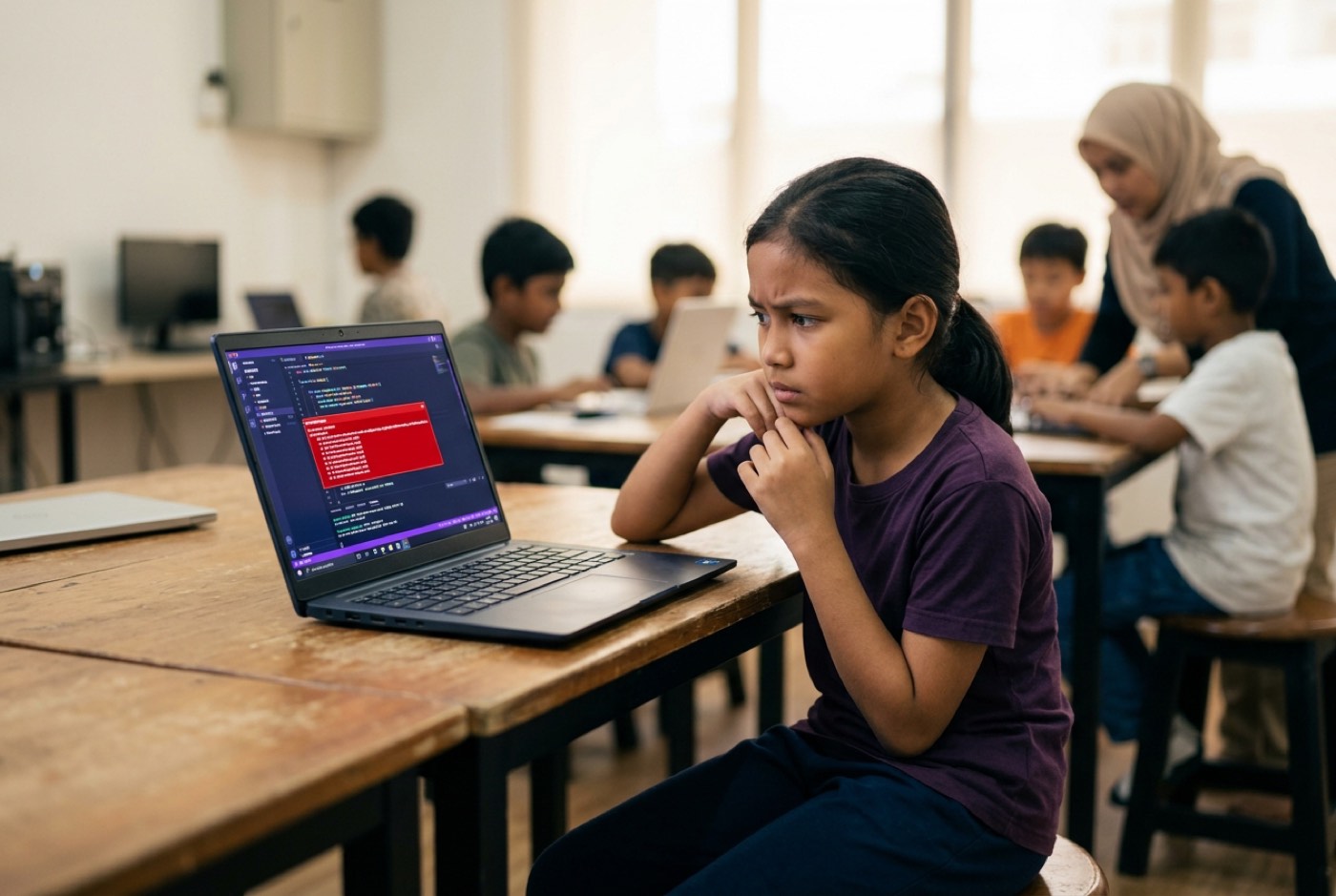 The plateau shows up the moment a project outgrows a single script. Say the student wants an interactive dashboard, or a multiplayer game with custom physics. The AI hands back 200 lines. The student pastes them in. Blank screen, or a console error.
Without the fundamentals underneath, variables, control loops, coordinate geometry, data structures, the student runs into a wall built from four bricks:
- They can't read the error stack trace.
- They can't tell the AI what went wrong, because they don't have the vocabulary for it.
- They keep saying "fix it," and each new version introduces fresh bugs.
- They give up on the project.
Research published in Software (MDPI) notes that leaning on AI output without foundational knowledge weakens critical thinking and analytical reasoning [3]. Knowledge workers who feel confident in their own unassisted abilities, by contrast, evaluate AI output far more critically [2].
A child who doesn't know what the code is supposed to do mathematically has no way to judge whether the answer in front of them is right [2].
How a Good 2026 Tech Curriculum Changes
If syntax drills are finished, what should a computer science and AI education look like for a kid growing up in Malaysia right now?
It should bring AI tools in on day one and spend the freed-up time on logic, math, and architecture [3].
| Curriculum Dimension | The Traditional Model (Pre-2023) | The Modern Model (2026 Onward) |
|---|---|---|
| Primary Interaction | Manual line-by-line typing of syntax. | Hybrid: natural language prompt architecture plus direct code auditing. |
| First-Year Goal | Memorise syntax rules in Python or Java. | Build real, functional web apps, games, or AI tools while learning core logic. |
| Role of Math | Disconnected school subject taught via paper drills. | Integrated directly into projects (trigonometry for physics, logic for AI models). |
| Code Evaluation | Teacher manually grades syntax formatting. | Student presents working build and explains logic and system flow. |
| Primary Project Metric | Did the student write syntax without errors? | Did the student solve the problem and verify system safety and edge cases? |
We don't ban code assistants in class or pretend they aren't there. We treat the assistant the way an engineering firm treats an apprentice: useful, fast, and never the one accountable. The student is the lead architect who writes the requirements, reviews the draft, tests the edge cases, and owns whatever ships [3].
This also quietly fixes the math problem. Parents tell us all the time that their child hates school math, which usually means their child hates rote memorisation and abstract worksheets. Then a 10-year-old needs the distance formula:
to work out velocity vectors so a character lands on a moving platform in Pygame. Suddenly the formula isn't a chore. It's the thing standing between them and a working jump.
The kid was never broken. The delivery was. Give children math they need for something they care about, and the resistance drops away. There's more on this in our article on math tuition vs learning math by building.
Age-by-Age Guide: What to Focus On from Ages 5 to 18
What a child can absorb shifts a lot between Standard 1 and Form 5. Here's how to set goals by age group in an AI-saturated world.
Ages 5 to 8: Sensory Logic, Sequencing, and Cause-and-Effect
Young children don't need text-heavy syntax or prompt interfaces. The goal is spatial reasoning, sequencing, and a solid feel for cause and effect.
- Tools: Visual block environments like ScratchJr, Scratch, or physical electronics kits like Micro:bit.
- Core Activity: Building simple interactive stories, maze-solving algorithms, and basic physical circuits.
- Parent Focus: Rethink screen time. The day a child can play a game on a tablet is the day they can start building one. Move them from watching to making. For more on the early years, read our guide on how to explain AI to a young child.
Ages 9 to 12: Game Physics, AI Prompt Structuring, and Applied Math
This is the window where kids cross from visual blocks into text-based logic and structured AI use.
- Tools: Python, Roblox Studio (Lua), Scratch mixed with AI assistants, 3D design tools.
- Core Activity: Creating 2D/3D games, programming micro-controllers, and using AI tools to generate graphic assets or debug logic scripts.
- Parent Focus: Don't let the AI become a black box. Ask your child to walk you through their script line by line. Tie project features back to the angles, variables, and fractions they're doing in school. Our guide on what AI-savvy looks like at 8-12-16 goes deeper.
Ages 13 to 18: System Architecture, Data Science, and Real-World Applications
Teenagers can build production-grade software, web platforms, and custom machine learning models. Many of ours do.
- Tools: Advanced Python, web application frameworks, SQL databases, API integrations, and generative AI developer workflows.
- Core Activity: Deploying web apps, analyzing real datasets, training custom image classifiers, and assembling technical portfolios for university admissions.
- Parent Focus: Depth of portfolio beats number of certificates. Universities and tech programs favour candidates who can show an end-to-end project, explain its architecture, and say why it matters [6]. See our breakdown on coding and AI for university admission in Malaysia.
How We Structure Learning at Kidocode
When I designed the framework at Kidocode, it was already clear that teaching coding on its own had a short shelf life.
So we run as an AI school first, with math and tech as the two pillars holding it up.
graph LR
    SubGraph1[Kidocode Integrated Pillars]
    P1[1. AI to Survive] --> P2[2. Math to Think]
    P2 --> P3[3. Tech to Build]
    P3 --> Out[AI-Savvy Builder]
Three things define how we teach:
- AI School First: Kids learn to direct AI systems responsibly, safely, and effectively. Safety and critical evaluation carry the same weight as writing a good prompt [2].
- Math Through Builds: We deliver international math standards (IGCSE, Cambridge, US Common Core) through hands-on builds instead of worksheets. Each child works with a personalized AI tutor that adapts to their pace, and math frustration usually clears in 2 to 4 weeks.
- Coding Bundled Free: Basic syntax knowledge is free on the internet now, so we bundle coding free across our packages. What parents are actually paying for is computational thinking, system architecture, and AI fluency.
Our Tech pillar covers six specialized tracks:
- Python Programming
- Web Development
- Mobile App Development
- Game Development
- Electronics & IoT
- 3D Modelling & Printing
Whether your child joins us in Klang Valley (Solaris Mont Kiara flagship, Sunway Nexis PJ), in Penang (Q2 Waterfront Bayan Lepas, Vantage Tanjung Tokong, Icon City Bukit Mertajam), or through live online classes, the rhythm is the same: ship a real project every week.
Actionable 4-Week Action Plan for Parents
Want to find out whether your child is building real computational thinking or just parked in front of a screen? Run this at home over four weeks.
timeline
    title 4-Week Home Tech Audit
    Week 1 : Screen Time Audit : Shift 1 hour from playing to building
    Week 2 : The Explain-Back Test : Ask kid to explain project logic
    Week 3 : The AI Debug Challenge : Intentionally introduce a bug
    Week 4 : Real World Project : Ship a simple utility or game
Week 1: Audit Screen Time and Shift Roles
Watch your child's digital habits for seven days and tally the hours. How much goes to consuming (YouTube, TikTok, playing games) versus creating? Then set a ratio: for every 2 hours inside Roblox or Minecraft playing, 1 hour goes into Roblox Studio or Minecraft Education Edition learning how the place was built.
Week 2: Apply the "Explain-Back" Test
Sit next to your child while they work on a project. Point at one block of code or one piece of logic and ask: "If we delete this, what happens to the rest of the game?" A clear cause-and-effect answer means they own the logic. "I don't know, the AI put it there" means it's time to go back to the foundations.
Week 3: Run an AI Debugging Challenge
If your child uses ChatGPT or Claude for homework or code, hand them a snippet or an answer with a deliberate mistake in it. Their job is to find it by testing and checking, not by asking the AI. This is exactly the auditing reflex that professional teams rely on [2].
Week 4: Ship a Real Artifact
Help your child finish something that exists at the end: a published web page for a family project, a 3D-printed model, a Python script that solves a real math problem. Celebrate the finished build rather than the hours logged.
Printable AI-Age Home Tech Checklist
Run through this to see whether your child's tech education is training them to direct AI or leaving them exposed to it.
- Shift from Consumer to Builder: Does my child spend at least 30% of their screen time creating digital artifacts (apps, games, models) rather than passively consuming media?
- Fundamental Logical Understanding: Can my child explain basic logic concepts (if-then conditions, loops, variables) without relying on AI prompts?
- Critical Evaluation Habit: Does my child test and verify AI-generated answers or code output before accepting them as correct?
- Math-Logic Connection: Can my child point to a practical project where they used geometry, algebra, or spatial coordinates to solve a problem?
Designed, ready to print and sign. We email it to you together with a 5% discount on your next registration.
Frequently Asked Questions
Will AI replace human programmers entirely by the time my child graduates?
AI takes over routine syntax and standard templates. It doesn't take over problem specification, system architecture, security auditing, or judgment about a specific domain [2]. Industry research projects continued growth in specialized software development, cybersecurity, and data systems roles over the next decade [2]. The people who do well will be the ones pairing real domain knowledge with AI fluency.
Is block-based coding like Scratch still relevant when text-based AI models exist?
For children aged 5 to 8, yes. Scratch teaches sequencing, event loops, and spatial variables without typing errors getting in the way. From age 9 onwards, kids should be moving toward text-based languages like Python, using AI assistants to climb faster [3].
My child is already struggling with school math. Won't learning to code with AI make them more overwhelmed?
Usually the opposite. School math feels abstract because it's disconnected from anything the child wants. Once a formula visibly controls how a character moves, how a graphic renders, or how a prediction model behaves, it stops being abstract. In our experience, math resistance drops within 2 to 4 weeks of building real projects.
How do I know if a coding class is teaching real computational thinking versus just copying code?
Ask whether students build original projects or follow step-by-step templates. In a tutorial-only class, every child walks out with an identical file. In a computational thinking class, students get a design challenge, use AI assistants and trainer guidance to build their own solution, and then have to present and defend how it works.
What hardware does my child need to start learning AI and coding at home?
For ages 5 to 12, any standard laptop or desktop running Windows, macOS, or ChromeOS with a stable internet connection will do. You don't need an expensive GPU, since most AI developer tools and code environments run in the cloud. Our full guide covers this: what laptop your child needs for coding and AI.
Ready to See How Your Child Builds with AI?
The difference between passive screen time and active building is much easier to see than to describe.
Come and watch. Book a free hands-on trial session at any of our campuses in Klang Valley (Mont Kiara HQ, Sunway Nexis PJ), Penang (Q2 Waterfront, Vantage Tanjung Tokong, Icon City), or join us live online.
The session runs 2 hours, both parents are welcome to sit in, and your child will build a real project using AI tools, math, and code. You'll see for yourself how they respond to project-first learning. No pressure, no obligation.
Book a Free 2-Hour Trial Session at Kidocode
References
- McKinsey & Company. Unleashing Developer Productivity with Generative AI. June 2023. https://www.mckinsey.com/capabilities/tech-and-ai/our-insights/unleashing-developer-productivity-with-generative-ai
- Raspberry Pi Foundation. Why Kids Still Need to Learn to Code in the Age of AI. Position Paper, June 2025. https://static.raspberrypi.org/files/about/Why-kids-still-need-to-learn-to-code-in-the-age-of-AI-2025-Raspberry-Pi-Foundation-position-paper.pdf
- MDPI Software. Generative AI and the Democratization of Computational Thinking. Vol. 5, Issue 2, May 2026. https://www.mdpi.com/2674-113X/5/2/20
- Stack Overflow. 2025 Developer Survey Results. 2025. https://survey.stackoverflow.co/2025/
- World Economic Forum. Future of Jobs Report 2025. January 2025. https://reports.weforum.org/docs/WEF_Future_of_Jobs_Report_2025.pdf
- World Bank. Digital Progress and Trends Report 2025: Strengthening AI Foundations. 2025. https://openknowledge.worldbank.org/bitstreams/99474f35-6a0c-48c3-9104-7b693e04313e/download
- Malaysia Digital Economy Corporation (MDEC). MyDigitalMaker Initiative Overview. 2025. https://www.mdec.my/mydigitalmaker