

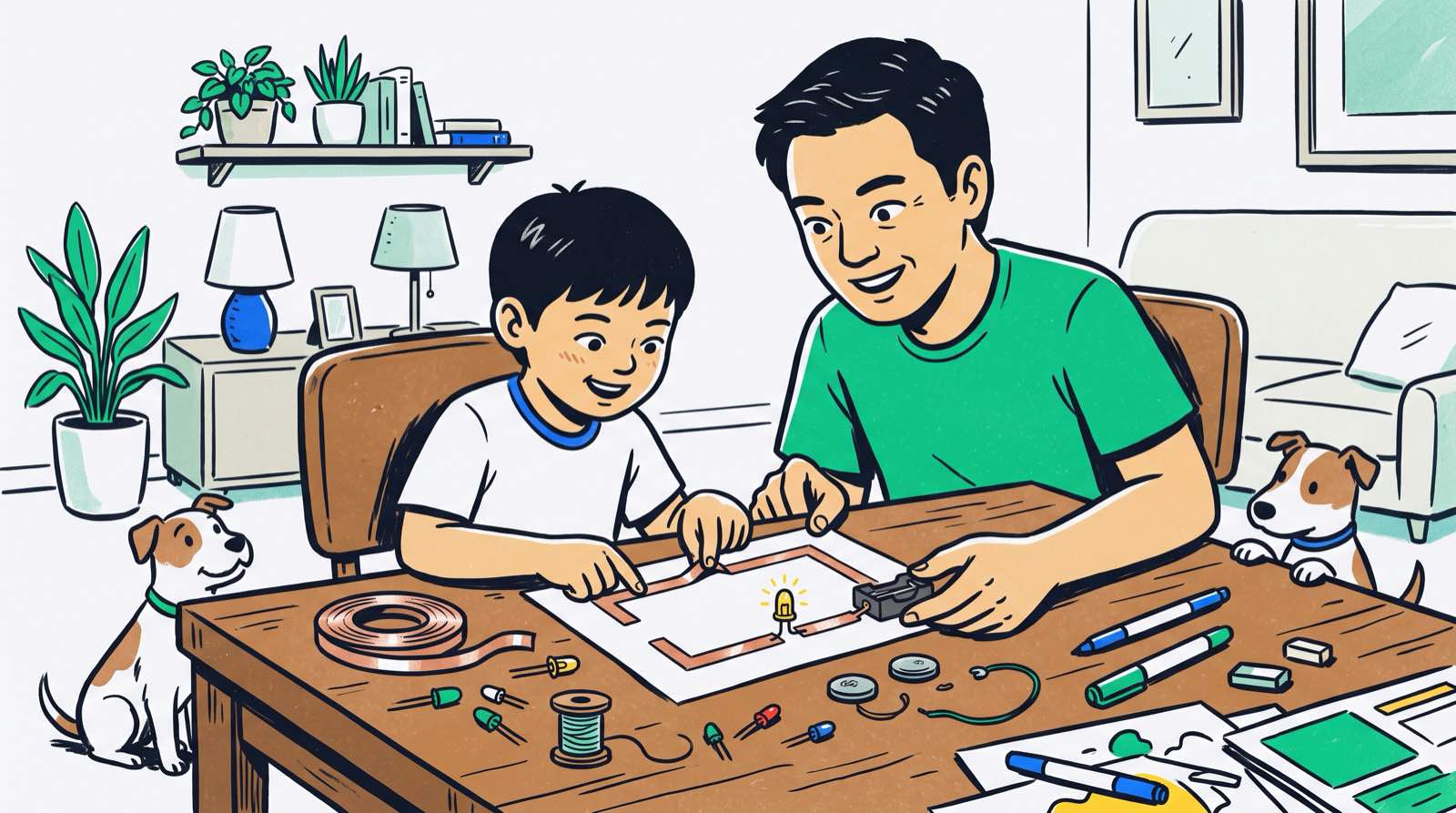
A child can spend four hours a day on a tablet and still have no idea what is happening a millimetre behind the glass. When the charging cable frays or the remote-control car stops turning left, the default response in most households is the same: bin it, buy another.
Electronics changes that response. A kid who has built a working circuit with their own hands stops seeing devices as sealed magic boxes. The phone, the aircon remote, the rice cooker, all of them become systems with inputs, wires, and decisions inside, and systems can be opened, understood, and sometimes repaired.
The good news for parents: none of this requires an engineering degree, a soldering station, or a garage workshop. Copper tape, a coin battery, a handful of LEDs and a cheap microcontroller will carry a child a surprisingly long way, and all of it fits on a kitchen table.
What follows is a roadmap for ages 5 to 18, what to buy, what to teach first, what is safe, and what the research says about your own role in it.
Key Takeaways
| Aspect | Parent Summary |
|---|---|
| Starting Point | Begin with non-soldering, low-voltage (3V–9V) paper circuits or snap kits. No engineering background required. |
| Core Concepts | Teach voltage, current, resistance, and closed loops through physical builds rather than abstract formulas. |
| Hardware Tools | Age 5–8: Snap Circuits and paper circuits. Age 9–12: micro:bit and sensors. Age 13–18: Arduino, Raspberry Pi, and custom circuits. |
| Math & Logic Link | Physical builds make abstract school math visible, using Ohm's Law and binary logic in real-world projects. |
| Parental Impact | Active parental encouragement in STEM activities at home increases a child's likelihood of choosing a technical path three-fold. |
Table of Contents
- Why Physical Hardware Matters in a Digital World
- Core Electronics Concepts Every Kid Needs First
- Home Setup and Safety: Starting Without an Engineering Background
- Comparing Home Electronics Kits for Kids
- Age-Appropriate Learning Roadmap (Ages 5 to 18)
- Connecting Electronics to Coding, Math, and AI
- What Research Says About Early STEM and Parental Role
- How Kidocode Teaches Electronics and Hardware
- Actionable 4-Week Electronics Starter Plan
- Frequently Asked Questions
- References
Why Physical Hardware Matters in a Digital World
Coding classes have taken over the after-school market, and for good reason. But software is only half the picture. Every line of Python, C++, or JavaScript a child writes eventually ends up as voltage moving through transistors, silicon, and copper traces. Teach only the software half and you leave the child with a model of technology that stops at the screen.
Adding hardware to the mix does something specific to how kids learn.
The feedback becomes physical. A bug in pure software produces a red error message. A misplaced resistor produces an LED that refuses to glow, or a motor that spins the wrong way. There is no arguing with it, and no waiting for a teacher to mark it.
The throwaway reflex weakens. Once a child knows what a DC motor and a slide switch look like, a dead toy stops being rubbish and starts being a parts bin. We have had students strip three broken remote-control cars to build one working robot chassis.
The maths stops floating. School algebra can feel like a private language invented to fill exam papers. Working out how much current an LED will draw turns , and into things you can see and burn out.
timeline
    title Electronics Learning Progression
    Age 5 to 8 : Tactile Exploration : Paper Circuits : Snap Kits
    Age 9 to 12 : Microcontrollers : Block Coding : Basic Sensors
    Age 13 to 18 : Embedded Systems : C++ Programming : Circuit Design
Across the 9,500-plus students who have come through Kidocode in Malaysia, the pattern we notice most is persistence. Kids who have spent time chasing a loose jumper wire tend to stick with a stubborn bug in code far longer than kids who have only ever worked on a screen.
Core Electronics Concepts Every Kid Needs First
Four ideas carry a beginner through the first year. All four should arrive through something the child builds, not through a diagram on a whiteboard.
1. The Closed Circuit (The Electricity Loop)
Electricity needs an unbroken path: out of the power source, through the device, back to the source. Break the path anywhere and everything stops.
Kitchen table activity: Give your child a coin cell battery, a small light-emitting diode (LED), and conductive copper tape on a piece of cardboard, and let them lay out a loop. Lift the tape and the light dies, that is an open circuit. Press it back down and the light returns, closed. Ten seconds of that teaches what a switch actually is, which is more than most adults could explain.
2. Voltage, Current, and Resistance
The plumbing analogy is old, but it works and children remember it:
- Voltage () is the water pressure in the pipe, pushing electricity along.
- Current () is how much water actually flows past a point each second.
- Resistance () is a narrow section of pipe that slows the flow down.
Kids meet this the hard way. Wire an LED straight to a battery with no resistor and it draws too much current and burns out, usually with a small disappointing flash. Put a resistor in series and it survives. That is the moment to introduce Ohm's Law:
Swapping resistor values to dim or brighten an LED is division, performed live, on a desk.

3. Inputs, Outputs, and Processing
A microwave and a smart-home sensor share the same skeleton:
- Inputs gather data from the world, buttons, light sensors, temperature sensors, motion detectors.
- Processing reads those inputs and decides what to do, usually a microcontroller such as a micro:bit or an Arduino.
- Outputs act on the world, LEDs, buzzers, LCD screens, electric motors.
Get a child into the habit of sorting every component into one of those three buckets and complicated machines start looking like small, readable systems.
Home Setup and Safety: Starting Without an Engineering Background
Safety is the usual sticking point. Parents picture shocks, scorched fingers, and a soldering iron on the dining table.
For children aged 5 to 16 working at home, soldering is unnecessary, and mains electricity is off the table entirely.
Safety Guidelines for Home Hardware
- Stay on low-voltage DC. Home builds should run on 3V to 9V battery packs, AA, AAA, or 3V CR2032 coin cells. At those voltages the child cannot give themselves a dangerous shock.
- Wall outlets are never part of a project. Malaysian sockets deliver 240V alternating current, and that point should be made plainly and more than once. Everything a child builds at home runs on batteries or on USB power from a computer.
- Know what a short circuit feels like. Connect a battery's positive terminal straight to its negative terminal with no component in between and the wire and battery heat up fast. The rule to drill in: if anything feels warm, disconnect the power first, ask questions after.
- Lock away coin cells. CR2032 batteries are a swallowing hazard for toddlers under 4. If there is a younger sibling in the house, keep the coin cells out of reach or switch to enclosed AA battery boxes.
Starter Toolkit for Parents
A shoebox of the following will last months:
- Conductive copper tape, single- or double-sided adhesive foil, for paper circuits.
- Standard 5mm LEDs, buy a mixed pack of red, green, blue, and yellow.
- CR2032 3V coin batteries and 2xAA battery holders, safe, low-voltage power.
- Alligator clip cables, spring-loaded clips that join components without twisting wires or soldering.
- Breadboard and jumper wires, a plastic board full of sockets that lets components plug in temporarily while prototyping.
Comparing Home Electronics Kits for Kids
Search for a kids' electronics kit online and you will drown in options within a minute. Four platforms cover almost every case, and here is how they compare for home use.
| Kit / Platform | Best Age Fit | Primary Focus | Software Integration | Pros | Cons |
|---|---|---|---|---|---|
| Snap Circuits | 5 to 8 years | Circuit fundamentals, non-software builds | None (pure hardware) | Zero wire stripping, magnetic/snap connections, robust | Fixed project manual; cannot write custom code |
| BBC micro:bit | 8 to 13 years | Physical computing, sensors, outputs | MakeCode (Blocks), Python | Built-in LED matrix, bluetooth, accelerometer, light sensor | Requires crocodile clips or expansion board for external motors |
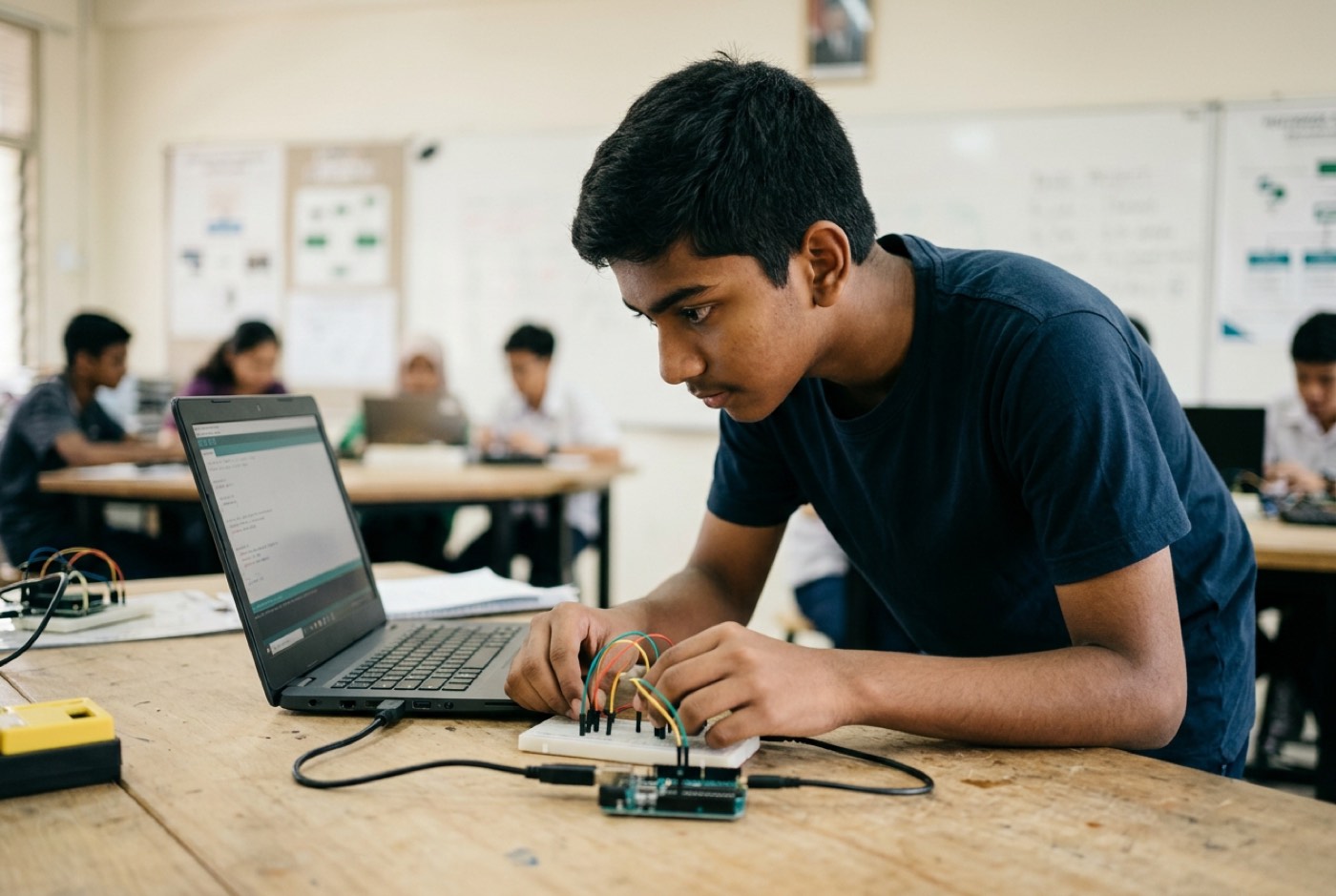
| Arduino Starter Kit | 12 to 18 years | Embedded systems, robotics, real circuit design | Arduino IDE (C/C++), Block-based options | Industry-standard board, thousands of compatible sensors | Higher learning curve; pin placement requires attention |
| Raspberry Pi | 13 to 18 years | Complete computing, Python, AI projects | Full Linux OS, Python, Scratch | Full desktop computer, supports camera modules and AI models | Requires monitor, keyboard, and SD card setup; sensitive to power loss |
For most families here, the smoothest path is Snap Circuits or paper circuits for the young ones, then a move to the BBC micro:bit around age 8 or 9. If you want to see what a microcontroller can actually do in a child's hands, read our deep dive on getting started with micro:bit projects for kids.
Age-Appropriate Learning Roadmap (Ages 5 to 18)
Spatial awareness, fine motor control, and logical reasoning arrive at different ages. Hand a 7-year-old a page of C++ and you get tears; hand a 14-year-old a box of snap-together blocks and you get an eye-roll. Match the tool to the stage.
Stage 1: Tactile Exploration (Ages 5 to 8)
- Goal: An intuitive feel for switches, power sources, and closed loops.
- Core Tools: Copper tape paper circuits, conductive playdough (Squishy Circuits), Snap Circuits.
- Sample Project: Light-up greeting card.
- How it works: The child draws a monster or a star on cardstock. On the reverse side they lay copper tape tracks running to a coin cell battery. A 5mm LED pushed through the drawing becomes an eye or a star, and it lights when the child folds the corner of the card over to close the switch.
Stage 2: Microcontrollers and Interactive Sensors (Ages 9 to 12)
- Goal: Join physical components to software code.
- Core Tools: BBC micro:bit, breadboards, external LEDs, buzzers, light sensors.
- Sample Project: Automated plant moisture alarm.
- How it works: Two steel nails wired to a micro:bit go into the soil of a potted plant. Moist soil conducts between the nails; dry soil does not. The child writes a short block program: if the reading drops below a threshold, the buzzer sounds and a sad face appears on the LED matrix.
flowchart TD
    A[Start: Read Soil Moisture] --> B{Is Value < 300?}
    B -- Yes (Dry Soil) --> C[Trigger Buzzer Alarm]
    B -- Yes (Dry Soil) --> D[Show Sad Face on LED]
    B -- No (Moist Soil) --> E[Display Heart Icon]
    C --> F[Wait 5 Seconds]
    D --> F
    E --> F
    F --> A
Stage 3: Real Embedded Systems and Prototyping (Ages 13 to 18)
- Goal: Read schematics, handle professional components, control hardware from text-based code.
- Core Tools: Arduino Uno/Nano, Raspberry Pi Pico, real components, transistors, relays, ultrasonic sensors, DC motors.
- Sample Project: Smart room access system.
- How it works: An ultrasonic sensor points at a doorway. When someone approaches, the Arduino times the returning sound wave, converts it to distance, drives a servo motor to unlatch a box or door, and logs the access event in Python.
Connecting Electronics to Coding, Math, and AI
Electronics taught as its own little island stays a hobby. Wired into maths, programming logic, and the AI tools kids already have access to, it becomes something closer to engineering.
Electronics and School Mathematics
Hardware gives KSSR and IGCSE maths topics somewhere to land:
- Ratios and scale: Calibrating a light sensor means mapping raw analog values ( to ) onto a percentage scale ( to ).
- Coordinate geometry: Driving an LED matrix means working in coordinates, with at the top-left pixel.
- Algebraic formulas: Sizing a resistor for a custom circuit forces a child to rearrange rather than just recite it.
Meeting these relationships on a breadboard before meeting them on an exam paper changes how the exam paper reads.
Software Control and Computational Thinking
Physical computing is unforgiving about sloppy logic. On screen, a badly structured loop might still produce something that looks fine. Forget a delay in a micro:bit program and the servo motor jerks and stutters until you fix the sequence. Order of operations, IF-THEN-ELSE branching, loop control, hardware teaches all of it faster than a screen exercise does, because the consequences are visible from across the room. For more on that side of things, see our overview of how kids build problem-solving skills through coding.
The Modern Hardware Era: Directing AI in Electronics
In 2026, nobody memorises datasheet pinouts. Builders describe what they want and let an AI assistant handle the boilerplate.
A teenager building an automated temperature reader might type something like this:
"I have an Arduino Uno, a DHT11 temperature sensor connected to digital pin 2, and an I2C LCD display. Write the C++ initialization code and explain how the signal pin communicates data."
Back comes working starter code plus an explanation of how the pulse-width signal travels from sensor to chip. What is left for the child is the part that actually matters: deciding what the system should do, tracing the physical connections when it misbehaves, and keeping the circuit safe.
This is how we frame AI at Kidocode, an engineering co-pilot, not a replacement. A student who knows how to brief an AI properly can get a working robot or smart-home device built in weeks instead of grinding through syntax for a year first.
What Research Says About Early STEM and Parental Role
The evidence on early hands-on experience and parental involvement is unusually consistent, and it points at parents more than at teachers.
The Power of Active Parental Encouragement
The Penang Institute examined how students in Penang choose their STEM streams across secondary and tertiary education [6]. Active parental encouragement made a child three times more likely to take a STEM pathway, and that effect held regardless of the parents' own education or occupation [6].
A structural equation modelling study of upper secondary students published in Issues in Educational Research (Tey et al.) found the same thing with numbers attached: parental influence had a statistically significant positive effect on both STEM interest () and STEM career choice intention () [7]. Teacher influence, in the same model, did not reach statistical significance for career choice [7]. Whatever happens in the classroom, the home is doing the heavier lifting.
Parent Awareness and Early Exposure
A 2022 quantitative study of 400 parents published in Sustainability (Mercan et al.) measured STEM awareness at home [2]. Parents whose children took part in active STEM and hardware programmes scored significantly higher on attitude and knowledge than parents whose children had no such exposure () [2]. The learning runs both directions.
A scoping review in Education Sciences (Hu et al.) looking at early digital technology integration found that hands-on digital tools improved young children's mathematical and engineering skill acquisition, with no significant gender gap in skill acquisition [3].
A systematic analysis in Frontiers in Education (George-Reyes et al.) traced maker education from its craft-activity origins into today's physical-digital spaces built around artificial intelligence and design thinking, and linked that shift to children gaining early confidence in solving real-world problems [1].
At policy level, the Ministry of Higher Education and the Ministry of Science, Technology and Innovation (MOSTI) put in place the National STEM Strategic Action Plan to prepare national talent for emerging technology demands [4]. MOSTI's foresight survey named smart classrooms, generative AI, and automation devices as the top technology priorities, all of which demand graduates who have actually handled hardware [5].
How Kidocode Teaches Electronics and Hardware
Electronics at Kidocode is not a standalone textbook subject taught for a term and dropped. It sits inside our Tech pillar, running alongside the AI and Math pillars.
graph TD
    SubGraph1[Kidocode Unified Learning Model]
    AI[Pillar 1: AI School First] --> Tech[Pillar 3: Tech & Electronics]
    Math[Pillar 2: Math Through Builds] --> Tech
    Tech --> Build1[Smart Home Automation]
    Tech --> Build2[Robotics & Drones]
    Tech --> Build3[IoT Sensors & Wearables]
Three things set the approach apart:
AI School First. We teach children to direct artificial intelligence safely and effectively. On the electronics track, that means using our customised AI tools to inspect circuit logic, generate hardware code, and troubleshoot wiring diagrams.
Math Through Builds. Rather than another stack of tuition worksheets, we deliver international mathematics standards, IGCSE, Cambridge, US Common Core, through hardware. A student who has been fighting algebra for a year tends to understand linear equations the afternoon they need one to work out a motor voltage or a sensor threshold. In most cases the resistance to maths is gone within 2 to 4 weeks, because the maths is suddenly load-bearing.
Coding Bundled Free. Syntax is public knowledge and we price it accordingly: every enrolled student gets coding free across six tracks, Python, Web Development, Mobile Apps, Game Development, Electronics, and 3D Design. What we actually charge for is computational thinking, systemic problem solving, and hardware design.
Our founder, computer scientist and AI researcher Unclecode (creator of Crawl4AI, used in production by Fortune 500 engineering teams worldwide), built the whole learning environment around production. Every session ends with an artifact, physical or software, that the student made.
Students work on real hardware at every campus: our flagship at Solaris Mont Kiara, Sunway Nexis in Kota Damansara, our Penang centres at Q2 Waterfront Bayan Lepas, Vantage Tanjung Tokong and Icon City Bukit Mertajam, and in our live camera-on online classes.
Actionable 4-Week Electronics Starter Plan
Four weekends, no major disruption to family life. This takes a child from a paper loop to a working sensor build.
Week 1: The Paper Circuit Light
- Target: Build an open and closed switch circuit using paper and tape.
- Materials: 1x CR2032 coin battery, 1x red LED, copper adhesive tape, cardstock paper.
- Activity: Stick two parallel strips of copper tape on the paper, leaving a small gap for the LED legs. Put the battery at the bottom and fold the corner of the paper over to close the circuit.
- Learning Outcome: The child understands closed circuit loops and how a switch works.
Week 2: Conduction and Materials Testing
- Target: Test household items for electrical conductivity.
- Materials: Week 1 paper circuit, alligator clips, household items, metal spoon, plastic ruler, paperclip, wooden pencil, eraser.
- Activity: Cut a break into the copper tape pathway. Clip the alligator leads to either side of the gap and let the child bridge it with one object after another. Some light the LED (conductors), most do not (insulators).
- Learning Outcome: The child learns the electrical properties of everyday materials.
Week 3: Introducing the micro:bit LED Matrix
- Target: Program digital hardware inputs and outputs.
- Materials: BBC micro:bit V2 kit, USB cable, laptop.
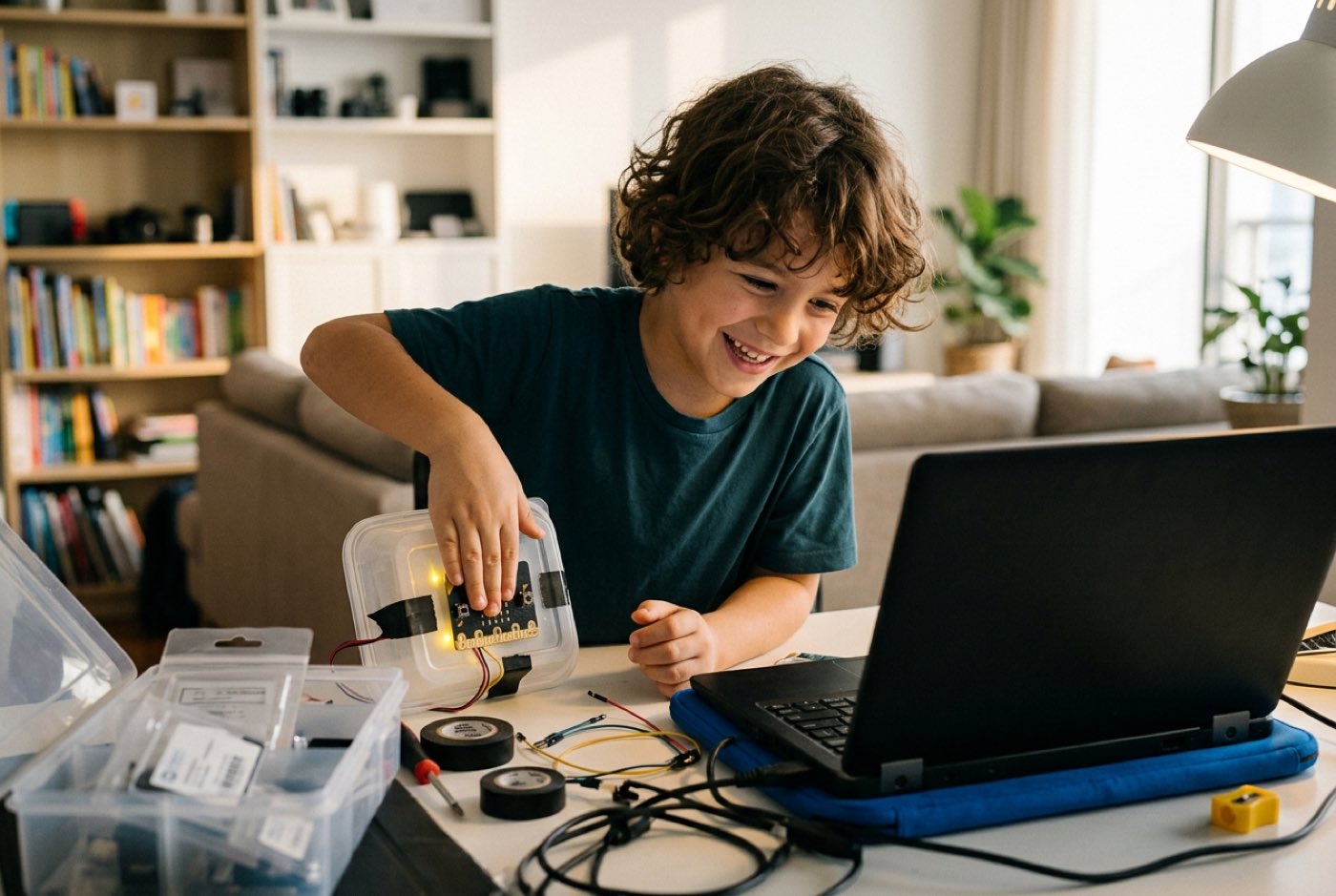
- Activity: Open Microsoft MakeCode in a browser. Drag blocks so that pressing Button A shows a smiling face and shaking the board flashes a heart. Transfer the file to the physical micro:bit.
- Learning Outcome: The child connects software commands to physical hardware responses.
Week 4: Light-Triggered Nightlight Project
- Target: Use real environmental sensor input to control hardware output.
- Materials: BBC micro:bit, its built-in light sensor, battery pack.
- Activity: Program the micro:bit to read ambient light continuously. When the reading falls below 50, a dark room, light up the whole LED matrix. Cupping a hand over the board is the test.
- Learning Outcome: The child has built an automated, sensor-driven system.
Printable Home Electronics Exploration Checklist
Print this and stick it on the fridge or the study desk to keep track of progress.
- Safety Briefing Complete: Reviewed low-voltage battery safety rules and established that home outlets are strictly off-limits.
- Toolkit Assembled: Gathered copper tape, 5mm LEDs, coin cell batteries, alligator clips, and cardstock.
- Completed Simple Paper Circuit: Built an LED paper circuit with a folding paper switch.
- Tested Household Conductors: Identified 3 conductors (e.g., paperclip, foil, coin) and 3 insulators (e.g., plastic, wood, eraser).
Designed, ready to print and sign. We email it to you together with a 5% discount on your next registration.
Frequently Asked Questions
Do I need to know how to solder to teach my child electronics at home?
No. Beginners have no need for a soldering iron. Conductive copper tape, alligator clips, breadboards, and snap connectors all make solid electrical connections, and they are reusable, a child can pull a circuit apart and rebuild it a different way in seconds, which is exactly what you want at this stage.
Is my child too young to learn electronics at age 5 or 6?
Not if the tools match their motor skills. As Kidocode founder Unclecode puts it: "The moment your child can play a game on a mobile device is the moment they should learn to build the game as well." For 5- to 7-year-olds, paper circuits, Squishy Circuits (conductive playdough) and Snap Circuits teach the core ideas through play, with no typing required.
How does learning basic electronics help if my child struggles with math at school?
A lot of maths difficulty comes from formulas arriving with no context attached. In electronics, Ohm's Law and coordinate grids are things you can see happening. Turn a resistor value up and the light dims. Maths stops being a thing to survive on a test paper and starts being a tool for getting the build to work.
Will artificial intelligence make hardware engineering and coding obsolete for kids?
No. AI accelerates the work; it does not do the work. It can draft code or suggest a schematic, but the wires still have to be connected, the sensors still have to be calibrated, and the whole thing still has to be tested on a desk. A child who knows how to brief an AI assistant for hardware code simply gets to attempt harder projects, sooner.
What is the difference between a micro:bit and an Arduino?
The BBC micro:bit is built for beginners aged 8 to 13: sensors, an LED display and Bluetooth are already on the board, and it supports visual block coding. Arduino is an open-source platform better suited to ages 12 and up, using text-based C/C++ and standard breadboards, with the flexibility needed for serious robotics, IoT devices, and prototyping.
Experience Real Hardware and AI Building at Kidocode
If you would like your child to move from consuming technology to building it, come and see how it works in practice. Kidocode combines AI literacy, math through building, and hardware tech tracks in one learning ecosystem.
Parents and children are welcome to sit in on a free, hands-on trial class.
What Happens at a Kidocode Trial Class?
- Up to 2 Hours Hands-On: Your child works directly with our trainers to build a real project in AI, math, or physical tech.
- Both Parents Welcome: You sit alongside your child, observe how they learn, and evaluate our personal learning system firsthand.
- Zero Pitch Pressure: No hard sales pitches or forced same-day decisions. We evaluate your child's interest and show you exactly how our curriculum works.
- Flexible Locations: Available at our flagship campus in Solaris Mont Kiara, Sunway Nexis (Kota Damansara, PJ), Penang centers (Q2 Waterfront Bayan Lepas, Vantage Tanjung Tokong, Icon City Bukit Mertajam), or via our live camera-on online classroom.
Help your child shift from scrolling technology to building it. Reserve a place for your family by visiting our Free Trial Class Booking Page or explore our Tech & Electronics Track to see full course details.
References
- George-Reyes, C. E., Tapia-Bastidas, T., Sandoval-Benitez, L. F., Caicedo-Quiroz, R., & Pinto-Santos, A. R. (2025). Maker education, women, and STEM: A systematic literature review (1983–2025). Frontiers in Education, 10, Article 1729067. https://www.frontiersin.org/journals/education/articles/10.3389/feduc.2025.1729067/full
- Mercan, Z., Papadakis, S., Gözüm, A. İ. C., & Kalogiannakis, M. (2022). Examination of STEM awareness of parents with children in preschool and primary school. Sustainability, 14(21), Article 14030. https://www.mdpi.com/2071-1050/14/21/14030
- Hu, X., Fang, Y., & Liang, Y. (2024). The impact of digital technology on young children's STEM education: A scoping review. Education Sciences, 14(4), Article 357. https://www.mdpi.com/2227-7102/14/4/357
- Organisation for Economic Co-operation and Development (OECD) / STIP Compass. (2023). National STEM Strategic Action Plan 2018–2025 (Malaysia). Policy Initiatives Database. https://stip.oecd.org/stip/interactive-dashboards/policy-initiatives/2023%2Fdata%2FpolicyInitiatives%2F99992916
- Ministry of Science, Technology and Innovation (MOSTI) & MIGHT. (2026). Appendices: STI Foresight Report 2025–2040, Future of STEM Talent in Malaysia: A Delphi Approach. MASTIC. https://mastic.mosti.gov.my/storage/2026/01/Appendices-STI-Foresight-Report-2025-2040-Future-of-STEM-Talent-in-Malaysia-A-Delphi-Approach.pdf
- Yap, J. (2021). Key measures identified for strengthening STEM interest among students in Penang. Penang Institute. https://penanginstitute.org/publications/issues/key-measures-identified-for-strengthening-stem-interest-among-students-in-penang/
- Tey, T. C. Y., Moses, P., & Cheah, P. K. (2020). Social influence on STEM interest and career choice intention among secondary school students. Issues in Educational Research, 30(4), 1558–1574. https://www.iier.org.au/iier30/tey.pdf