


The child who used to run to the computer to drag blocks around eventually stops running. Scratch and similar visual platforms are excellent starting points, and for good reason: there are no syntax errors to trip over, the feedback is immediate and visible, and logic arrives wrapped in animation.
Then something changes. After a few months or a few years, you notice the sessions look different. Less time spent working out how to make something happen, more time spent recolouring sprites, swapping sound effects, and polishing the title screen. Ask about coding class and you get "it's boring now" or "I already know how to make games."
That answer usually gets misread. It rarely means the child has lost interest in technology. It means the blocks have run out of room. Leave a student parked there past the point of transition and an enthusiastic builder slowly turns into a bored one.
Below are five behaviours that tell you a child is ready for text-based code, an explanation of why the standard school pathway burns roughly two years on syntax drills, and a look at how AI coding assistants let young learners cross into Python without stalling at the keyboard.
Table of Contents
- Key Takeaways
- The Scratch Plateau: Decorated Projects Versus Built Systems
- Sign 1: They Rebuild from Scratch Instead of Extending Existing Code
- Sign 2: They Ask "Can I Type the Code Instead?"
- Sign 3: They Hit a Tool Limit and Blame Scratch (Correctly)
- Sign 4: They Read Other People's Projects to Inspect Architecture, Not to Copy
- Sign 5: They Want Real People Outside Scratch to Use What They Made
- Why the Classic "Scratch-Then-Wait" Ladder Wastes Two Years
- The 8-Week Transition Roadmap: From Visual Blocks to Text Code with AI Support
- Is Your Child Bored in Class? Tool Friction Versus Teaching Friction
- What to Ask a Learning Centre Before Upgrading Your Child
- How Kidocode Handles the Move Beyond Scratch
- Actionable Next Steps for Parents
- Frequently Asked Questions
- References
Key Takeaways
| Parent Observation | Technical Reality | Recommended Action |
|---|---|---|
| Child spends hours changing artwork on old projects | They have reached the logic ceiling of drag-and-drop interfaces. | Shift focus from visual presentation to algorithmic complexity in text code. |
| Child complains that scripts are messy or slow | They need refactoring tools, variable scope, and clean text functions. | Introduce text-based structures like Python functions and modular files. |
| Child wants to create save files, multiplayer modes, or web links | Scratch sandbox constraints are limiting their project scope. | Move to standalone development environments with external database support. |
| Child types rapidly but gets frustrated dragging blocks | Drag-and-drop visual friction exceeds typing friction. | Use an AI coding assistant to help learn syntax while typing real Python code. |
The Scratch Plateau: Decorated Projects Versus Built Systems
You can spot the move from beginner to intermediate by watching where a child's project time goes. During the first six months with block tools, nearly all of it goes into structure: loops, conditionals, variables, event listeners. Every session produces a new mechanism, a jump, a score counter, a respawn.
Then the mechanisms stop appearing. Educators call this the visual block plateau. The logic stops evolving while the effort keeps climbing, poured into custom costumes, background music, and an elaborate start screen bolted onto a movement script that has not changed in weeks.
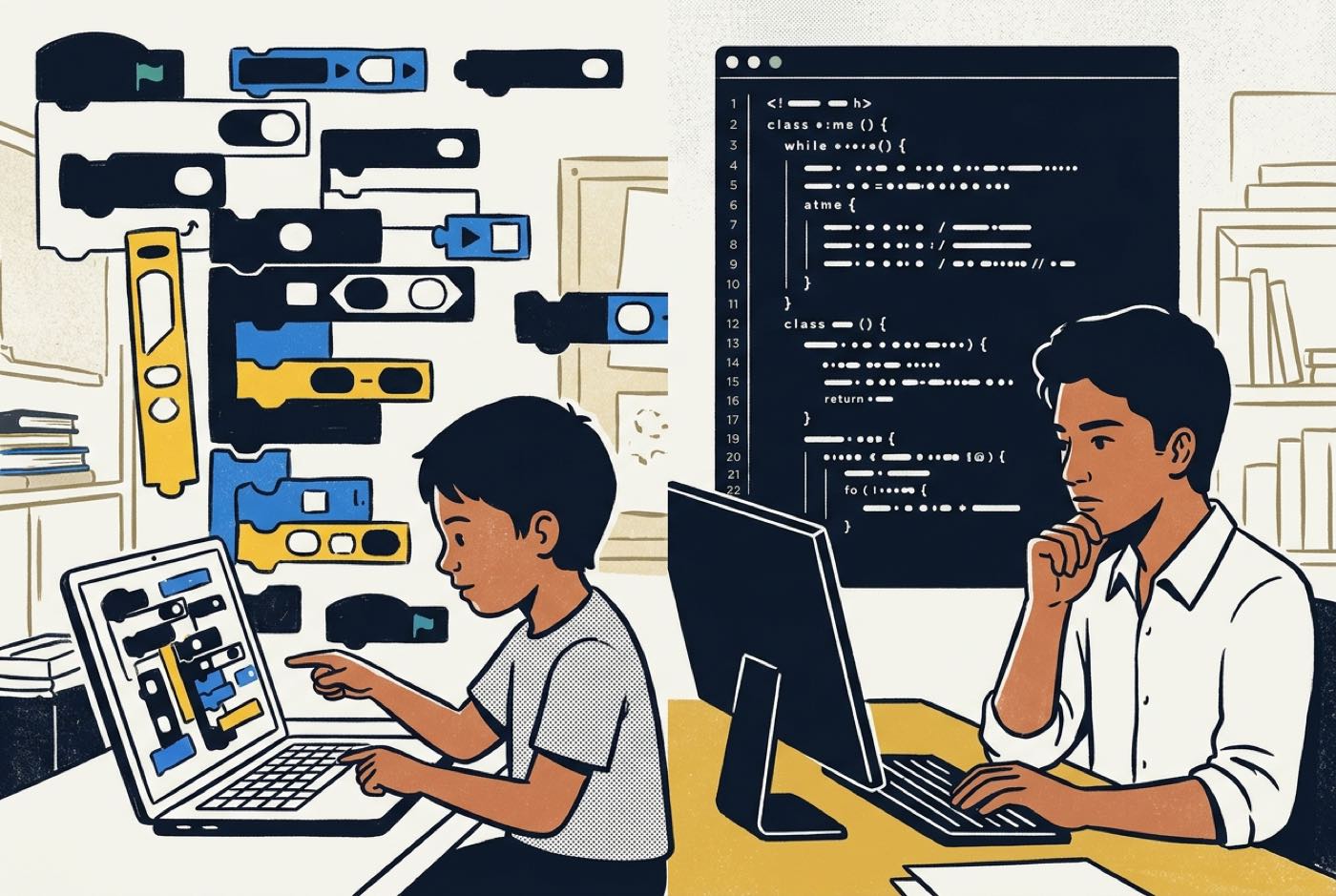 Decoration is not a problem in itself. Visual design is part of software design. The problem is the ratio. When complexity flatlines and cosmetics expand to fill the hour, the environment has become the bottleneck. The interface that once made code approachable is now capping how large a system the child can hold together. They are ready for engineering, and the blocks keep handing them a craft room.
Sign 1: They Rebuild from Scratch Instead of Extending Existing Code
Professional engineers refactor or rewrite when a codebase gets too tangled to touch. Beginners in block tools hit exactly the same wall, except they have no text search and no separate files, so 300 stacked blocks become genuinely unmanageable.
Watch what happens when your child abandons a half-finished project and restarts the same idea in a new file. Ask why. If the answer is "the scripts got too messy and I couldn't find where the score bug was," that is a child describing code debt in their own words.
In Scratch, every script lives in an open global space attached to a particular sprite. Once five sprites are talking to each other through broadcast messages, holding the whole flow in your head becomes the hard part, not the logic itself. Python answers that with local variables, functions, classes, and files you can split apart. A child who keeps deleting big stacks and starting over is asking for modular architecture, whether or not they have the words for it.
Sign 2: They Ask "Can I Type the Code Instead?"
Drag-and-drop exists because young children think faster than they type. For a seven-year-old still hunting for letters on the keyboard, snapping blocks together removes a real physical obstacle.
By nine or ten, school work and general computer use have usually changed the arithmetic. Hunting through a colour-coded palette for a nested conditional, dragging it across the canvas, and clicking it into the right slot now takes far longer than typing this:
if player_score >= 100:
    level_complete()
So when a child grumbles about scrolling through block menus, or asks outright whether they can just type it, their input speed has overtaken the tool. Keeping a fluent reader and typer in blocks after that point adds friction for no return, and boredom follows.
Sign 3: They Hit a Tool Limit and Blame Scratch (Correctly)
Block platforms run inside closed browser sandboxes because safety and stability matter more than power for a first coding tool. That trade-off means leaving things out on purpose: multi-dimensional data structures, memory management, local file access, third-party libraries, and external network application programming interfaces (APIs).
Ambitious projects eventually collide with those walls. The complaints tend to sound like this:
- Memory lags: The project stutters once dozens of sprite clones spawn at the same time.
- Data storage limits: There is no straightforward way to keep user profiles, inventory matrices, or global high scores between sessions.
- Rigid math operations: Physics calculations or algorithmic data processing turn into block sequences that run off the edge of the screen.
When a child tells you the platform itself will not let them build what they have in mind, take the diagnosis seriously. It is usually accurate, and it means educational sandboxes have done their job. Local development tools and real execution environments come next.
Sign 4: They Read Other People's Projects to Inspect Architecture, Not to Copy
Early on, children browse public galleries to play games and harvest assets. They pull character designs, import sound packs, and remix by nudging jump height or speed.
The tell for technical maturity is different. The child opens "See Inside" on an advanced project and starts reading the engineering. Not the artwork, the algorithms:
- How did this project handle isometric terrain generation?
- How does this custom physics loop calculate precise jump trajectories?
- How are items organized in this inventory system?
That is curiosity about system design rather than surface. And it exposes a limitation: at that level of complexity, block canvases become hard to read at all. Clean Python syntax is far easier to scan, trace, and borrow from.
Sign 5: They Want Real People Outside Scratch to Use What They Made
Educational sandboxes keep projects inside their own portal. For a friend to play a Scratch game, they have to visit the site, open the project page, and run it in the platform's player window.
Older learners find that unsatisfying. They want their work out in the world:
- A website reachable from a custom domain.
- A standalone game file friends can download and run on a desktop.
- A mobile app installed straight onto a family phone or tablet.
- A hardware sensor wired to a micro-controller, pushing live data to a Discord channel or web server.
Wanting external deployment is a milestone worth noticing. The child has stopped doing exercises and started building products for users. No contained block platform can deliver that, and no amount of extra Scratch practice will change it, the only route is professional text-based tooling.
Why the Classic "Scratch-Then-Wait" Ladder Wastes Two Years
Plenty of school computer science curricula keep students in blocks from primary school through the first years of secondary. The reasoning made sense at the time: text syntax, with its brackets, indentation rules, and type declarations, was assumed to be too punishing for younger students.
| Pathway | Stage 1 | Stage 2 | Stage 3 |
|---|---|---|---|
| Traditional path | Scratch (ages 7–11) | Syntax friction wall | Basic Python (ages 12+) |
| Modern AI path | Scratch (ages 7–9) | AI-assisted Python | Full architecture (ages 11+) |
The old ladder tends to stall students on the middle rung. Research published in the ACM Transactions on Computing Education by Weintrop and Wilensky (2017) found that introductory high school students make strong early conceptual gains in block-based platforms, yet regard text-based environments as much closer to authentic software practice and better suited to building long-term programming capability [1].
Until recently, the crossing itself was the expensive part: months of memorising syntax rules, chasing missing commas, and staring at error messages. That wall pushed out students who understood the logic perfectly well but had no patience for typographical bookkeeping.
| Stage | What happens there |
|---|---|
| Visual logic (Scratch) | Nested blocks, visual flow, event triggers |
| AI syntax translation | Generates boilerplate, explains syntax errors, suggests structure |
| Professional code | Clean Python, modular logic, direct APIs |
Generative AI assistants rewrite that middle stage. The assistant works as a syntax translator while the student keeps the parts that matter, the logic, the design, the decision about what the program should do. Syntax lookup, error explanation, and function templates move to the tool.
The research literature backs both the upside and the conditions attached to it:
- A systematic review by Duc Manh Bui (2025) at Aalto University found that large language model (LLM) coding tools deliver major gains in student efficiency and productivity, but that educators have to structure tasks carefully to prevent overreliance [2].
- Rojas-Galeano (2025) reported that novice programmers using AI assistants feel more confident during early development, as long as they keep running and testing code themselves [3].
- Guidance from the American Psychological Association (2026) argues that educational software should be judged on transferrable learning outcomes rather than app engagement, and that structured guidance is what turns tool use into durable problem-solving ability [4].
- In Malaysia, public-private frameworks such as the Malaysia Digital Economy Corporation (MDEC) MyDigitalMaker initiative have brought core digital skills education to over 2.5 million students nationwide, part of a wider push toward active tech creation [5].
Pair a young learner with structured AI support and the years of block dragging that used to fill the gap simply stop being necessary.
The 8-Week Transition Roadmap: From Visual Blocks to Text Code with AI Support
Move a child across in stages. Going from a colourful canvas to a blank text file in one jump is intimidating for anyone. This eight-week sequence uses an AI assistant to hold momentum while typing confidence and text fluency catch up.
flowchart TD
    A[Weeks 1 to 2 Logic Mapping] --> B[Weeks 3 to 4 Dual Stack Building]
    B --> C[Weeks 5 to 6 AI Guided Debugging]
    C --> D[Weeks 7 to 8 Standalone Text Build]
Weeks 1 to 2: Logic Mapping in Pseudocode
No Python yet. The student rewrites their own Scratch scripts as plain English sentences, pseudocode.
- Goal: Separate the logic from the coloured blocks it currently lives in.
- Activity: Take a Scratch game loop they know well and write out its execution order in a normal text document.
- AI tool role: Feed that plain English into an AI assistant and ask for a conceptual outline of the same logic in Python.
Weeks 3 to 4: Dual-Stack Building (Python + Pygame)
Now come small, single-purpose Python scripts, written with the original block version sitting alongside as a reference. Game mechanics built with Pygame or Turtle graphics make a good entry point.
Movement in text code means real equations instead of movement blocks. Horizontal position () over time () at constant velocity () is straightforward linear algebra:
Add gravitational acceleration () to a vertical jump and you get the standard quadratic displacement formula:
Tying those expressions to variables the child can see moving on screen turns school maths into something with a purpose.
# Simple Python velocity update rule
player_y = player_y + velocity_y
velocity_y = velocity_y + gravity
- Goal: See how text variables and event loops do the work sprite blocks used to do.
- AI tool role: Line-by-line explanations on request, "Explain what
import pygamemeans in simple terms."
Weeks 5 to 6: AI-Guided Syntax Debugging
Missing colons, unmatched parentheses, wrong indentation: all of it will happen in these two weeks. Rather than searching the web, the student takes the error to an AI assistant.
The workflow looks like this:
- Student writes Python code.
- The Python interpreter throws a
SyntaxError. - Student passes the error to the AI.
- The AI explains the rule and points to the location.
- Student edits the file by hand.
- Student re-runs the code to verify.
- Goal: Independent error recovery, without getting bogged down in typing rules.
- AI tool role: Diagnosis, not repair. The prompt to teach them: "Explain why this syntax error occurred, but do not give me the fixed code directly. Tell me which line to check."
Weeks 7 to 8: Standalone Text Build
The blocks come off the table. The student builds a complete working application in text alone.
- Goal: Finish an independent project in Python or web code (HTML, CSS, JavaScript).
- AI tool role: Technical consultant, code review, performance advice, optimisation suggestions.
Is Your Child Bored in Class? Tool Friction Versus Teaching Friction
"Coding class is boring" is a symptom, not a diagnosis. Two very different causes produce it, and they call for opposite responses.
| Tool friction | Teaching friction | |
|---|---|---|
| What you see | Child finishes tasks quickly; asks for harder features; wants to type text code. | Class runs on step-by-step copy-pasting; no room for personal project choices; trainer sticks to rigid worksheets. |
| What to do | Move to AI-assisted text programming languages (Python or web). | Switch to project-first, personalized build pathways. |
Tool friction means the child is ready for professional languages, harder computational problems, and real development environments. Teaching friction means the platform was never the issue, moving to another centre that also teaches blocks changes nothing. What they need is a project-first approach where they design systems instead of working through static worksheets.
What to Ask a Learning Centre Before Upgrading Your Child
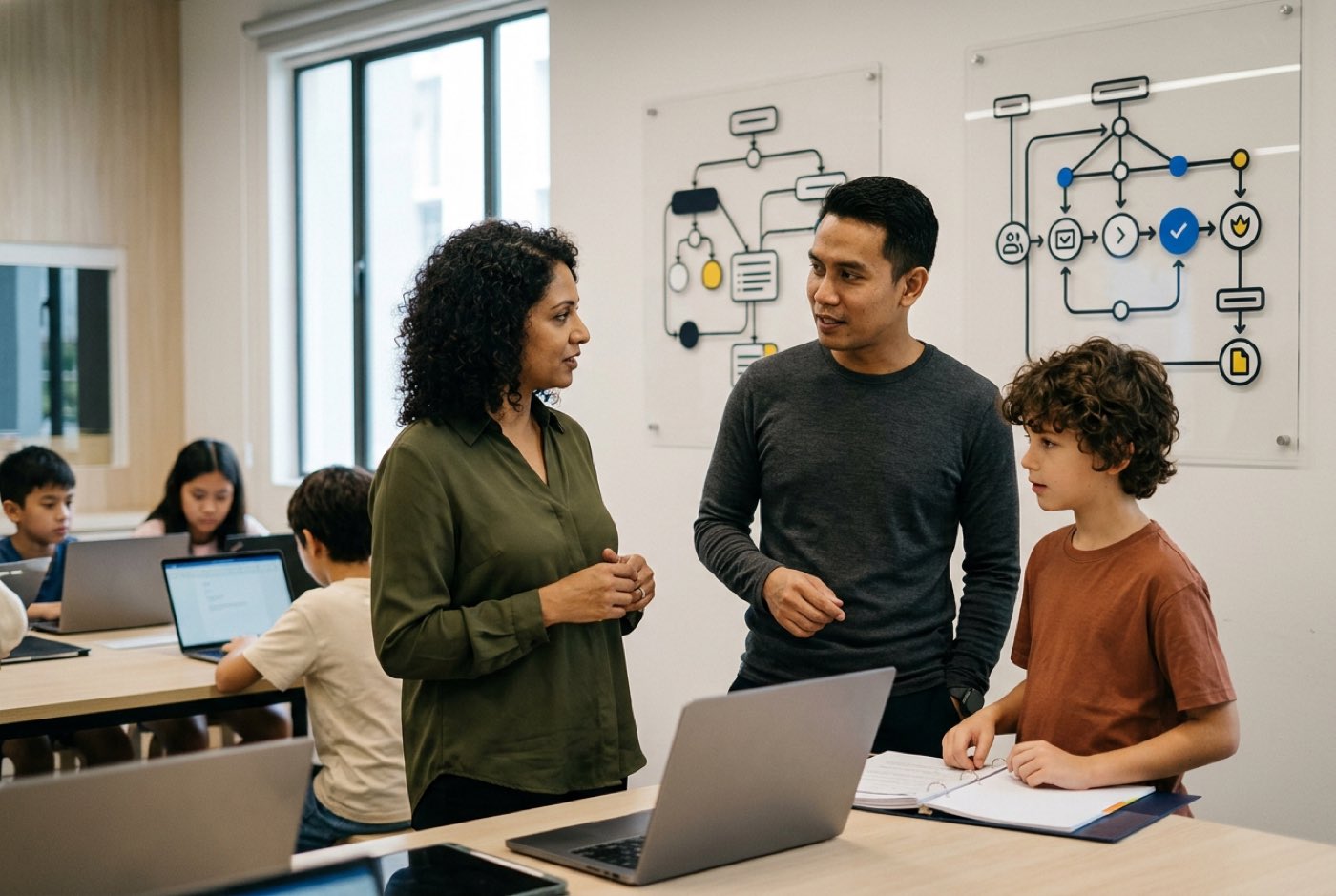
Once you have decided your child is past blocks, shop carefully. Plenty of tuition centres have relabelled their classes "advanced coding" or "AI" without changing what happens in the room.
Four questions worth asking before you sign anything:
-
"Do you transition students directly to text-based environments, or do you require fixed age-based tiers?"
Why it matters: Rigid age-based progression keeps capable nine-year-olds dragging blocks because of their school grade, not their logic skills. -
"How are AI tools integrated into your coding environment?"
Why it matters: Good centres neither ban AI assistants nor let them generate whole projects. They teach students to prompt, verify, and debug AI output critically. There is more on that balance in our guide to AI literacy versus coding skills. -
"Is your curriculum project-driven or worksheet-driven?"
Why it matters: Memorising code definitions on paper does not produce working software. Every session should end with something the student designed and built that actually runs. -
"How does your technical pathway incorporate real mathematical application?"
Why it matters: Coding without applied maths caps students at basic visual layouts. Serious development leans on geometry, logic matrices, and coordinate geometry. Our guide on how kids learn coding and AI covers this in more detail.
How Kidocode Handles the Move Beyond Scratch
At Kidocode, coding is not treated as a subject on its own, and Scratch is not a multi-year prerequisite anyone has to serve out. We are an AI school first, then applied mathematics and tech development. Coding comes bundled with membership because computational thinking is the foundational skill; programming syntax is just how you express it.
| Pillar | Purpose | What it covers |
|---|---|---|
| 1. AI | To survive | Directing models, safety, prompt engineering |
| 2. Math | To think | Applied geometry, physics, personalized AI tutor |
| 3. Tech | To build | Python, Web, Mobile, Games, Hardware, 3D |
A free bundled coding tier runs across all three tracks with a computational thinking focus.
Whether a student arrives at five or fifteen, we assess their computational thinking speed rather than sorting them by age alone.
1. Directing AI Safely (Pillar 1)
Instead of years of manual syntax memorisation, children learn to direct AI assistants responsibly. Prompt engineering, output verification, structural design, and digital safety are taught with equal weight. The mental model we give them: the AI assistant is a junior developer who needs precise instructions.
2. Mathematics Through Building (Pillar 2)
School maths goes badly for a lot of children because memorising formulas for an exam feels like memorising nothing in particular. We teach the same international syllabi (IGCSE, Cambridge, and Common Core standards) in reverse, the maths shows up because a build problem requires it.
Calculating sprite hit-boxes with coordinate geometry, modelling game acceleration with quadratic functions: the concept arrives as a tool rather than a topic. With a personalized AI math tutor for every child on top of that, math anxiety usually clears within two to four weeks. There is more on our approach to computational thinking and applied mathematics.
3. Real Technology Tracks (Pillar 3)
Students leaving Scratch behind step straight into one of six technology tracks:
- Python Track: Data structures, AI model integration, and algorithmic problem-solving.
- Web Track: Full-stack application architecture using HTML, CSS, and JavaScript.
- Mobile Track: Mobile application design and cross-platform deployment.
- Game Development Track: Game engine architecture, physics systems, and state management.
- Electronics & IoT: Micro-controller programming, sensor integration, and hardware automation.
- 3D Modelling & Spatial Computing: Spatial geometry, asset creation, and 3D environment design.
Kidocode was founded in 2014 at Solaris Mont Kiara by computer scientist and AI researcher Hossein Tohidi (Unclecode), creator of Crawl4AI. Since then, over 9,500 students across Malaysia have moved through our programmes from passive screen consumers to active technology creators.
We run five physical campuses across Malaysia:
- Klang Valley: Solaris Mont Kiara (HQ Flagship) and Sunway Nexis (Kota Damansara, Petaling Jaya).
- Penang: Q2 Waterfront (Bayan Lepas), Tanjung Tokong (Vantage), and Icon City (Bukit Mertajam).
- Online: Fully live, interactive online classes with camera-on instruction, accessible from anywhere.
Parents can book a free trial class of up to two hours. Your child builds a working AI, math, or tech project during the session while our trainers assess their level and put together a developmental roadmap.
Actionable Next Steps for Parents
If you think your child has outgrown blocks, use this section to check and to plan the move.
Printable Transition Readiness Checklist
Run through this at home to gauge readiness for text-based coding with an AI assistant.
- Cosmetic shift: More than 70% of project time goes into sprites, costumes, and audio rather than new program logic.
- Structural frustration: The child complains that visual scripts are messy, cluttered, or hard to organise on screen.
- Keyboard fluency: The child types comfortably on a physical keyboard without hunting for individual keys.
- Desire for external features: The child wants online leaderboards, mobile apps, custom web links, or external save files.
Designed, ready to print and sign. We email it to you together with a 5% discount on your next registration.
Frequently Asked Questions
Is nine years old too young to move from Scratch to Python?
Age is rarely the deciding factor. Typing fluency, reading comprehension, and teaching method matter far more. With an AI assistant absorbing the mechanical syntax friction, nine-year-olds routinely pick up core Python concepts, write real scripts, and finish working software projects.
Will using an AI coding assistant make my child lazy?
It depends entirely on how it is used. A child who pastes in a task and copies the answer without reading it learns nothing, and skill development stops there. A child taught to use AI as a tutor, to explain errors, propose structures, and help trace bugs, builds system architecture skills faster than they would alone. The curriculum around the tool decides which one you get.
Should my child master Scratch completely before moving to text coding?
No developer exhausts every feature of an educational sandbox before picking up real tools. Once the fundamental computational logic is there, extra time in blocks returns less and less. Moving across when the readiness signs appear is what keeps interest alive.
My child gets frustrated by syntax errors in Python. How can I help?
Missing colons and indentation mistakes are the single biggest source of early frustration in text code. Point them at an AI assistant for diagnosis: have them paste in the error message and ask, "Explain what this error means and which line I should check." That converts a dead end into a lesson.
How does learning Python with AI help with school mathematics?
Text-based code runs on mathematical variables, coordinate systems, logical conditionals, and algebraic functions. Building a game mechanic or a data visualiser in Python means using school maths concepts to get something working, which reinforces the classroom material and tends to reduce math anxiety along the way.
References
- Weintrop & Wilensky, Comparing Block-Based and Text-Based Programming in High School Computer Science Classrooms (2017)
- Duc Manh Bui, Use of LLM-based Coding Assistants in Computing Education: A Systematic Literature Review (2025)
- Sergio Rojas-Galeano, Novice Programmers' Perceptions and Performance with AI Coding Assistants (2025)
- American Psychological Association, Realizing the Educational Promise of Technology for Children and Adolescents (2026)
- Malaysia Digital Economy Corporation, MyDigitalMaker Initiative (2025)