

"Does ChatGPT have a brain?"
A seven-year-old asks this in the car, or at dinner, or halfway through homework, and the answer that comes out is usually one of two bad ones: a lecture about neural networks that loses the child in eight seconds, or a shrug about "smart robots" that leaves the magic fully intact. Neither one gives a young child anything solid to hold onto.
Parents tell us this at weekend trial sessions in Kuala Lumpur and Penang all the time. Their 6 to 9 year olds already live with artificial intelligence, the voice assistant in the kitchen, the YouTube autoplay queue, the homework helper on the family tablet, and they have quietly built their own theories about what it is. Those theories are usually wrong. As our founder Unclecode puts it, the moment a child can play a game on a mobile device is the moment they can start learning how that game was built. Age is not the limiting factor. Method is.
None of this requires a computer science degree, and it does not require opening a laptop. Physical, screen-free activities remain the most effective way to give early learners a working picture of AI. Below are five you can run tonight at the kitchen table, with the exact words to say.
Quick Summary: Teaching Early AI Concepts at Home
| Activity Name | Core Concept Taught | Materials Needed | Best Age Group | Key Takeaway for Child |
|---|---|---|---|---|
| 1. The Next-Word Guessing Game | Machine learning prediction and pattern matching | Paper slips, marker, a covered bowl | Ages 6 to 9 | AI does not think, it predicts what comes next based on patterns. |
| 2. Sorting the Fruit Bowl | Classification algorithms and feature extraction | Apples, oranges, bananas, toy items | Ages 6 to 8 | AI groups objects by following strict rules about features. |
| 3. The Wrong-Answer Hunt | AI hallucinations and critical verification | Index cards with 3 facts and 1 absurd lie | Ages 7 to 9 | AI can sound confident even when it is completely wrong. |
| 4. The Robot Peanut Butter Sandwich | Algorithmic instructions and prompt engineering | Bread, jam, butter knife, blindfold | Ages 6 to 9 | Computers follow exact steps, bad instructions lead to messy results. |
| 5. What Should a Robot Decide? | AI ethics, privacy, and human agency | Sorting cards (shoes, friends, stars) | Ages 8 to 9 | Humans must retain control over personal and emotional choices. |
Table of Contents
- The Core Truth Kids Aged 6 to 9 Can Hold
- Words to Use and Words to Avoid
- Activity 1: The Next-Word Guessing Game (Why Prediction Is Not Knowing)
- Activity 2: Sorting the Fruit Bowl (Teaching a Classifier by Hand)
- Activity 3: The Wrong-Answer Hunt (Building Healthy Suspicion)
- Activity 4: The Robot Sandwich Game (Why Bad Prompts Get Bad Results)
- Activity 5: What Should a Robot Never Decide? (First Ethics Conversation)
- Answering the Three Questions Kids Always Ask Next
- How Kidocode Teaches AI to Young Children
- Actionable 4-Week Kitchen-Table Roadmap
- Frequently Asked Questions
- References
The Core Truth Kids Aged 6 to 9 Can Hold
Pick your definition before you pick your activity. Skip neural networks, skip backpropagation, and give the child one sentence they can repeat back: AI is a computer program that reads massive amounts of information to guess what comes next.
Children arrive at that idea on their own eventually, but slowly. Researchers tracking how kids conceptualize AI found clear developmental stages [3]. In grades 3 to 5 (ages 8 to 11), children tend to explain AI reasoning as a kind of inherent magical intelligence. Only by grades 6 to 8 (ages 11 to 14) do they start describing it as a mathematical pattern matcher [3]. Screen-free pattern work, started early, lets a primary school child jump the magic stage entirely.
There is a practical reason to hurry. A peer-reviewed 2026 study in Technology in Society tested children aged 6 to 10 on whether they could tell human-made content from AI-generated text and images. They performed at or below chance, with a systematic bias toward assuming synthetic content came from a person [4]. The same study found 48.6% of young children believe an AI agent makes its own decisions and thinks for itself [4].
Call it a powerful pattern guesser and the mystery drains out, replaced by something the child can actually reason about. Parents mapping out foundational skills for this age range will find more context in our notes on early-age learning principles.
Words to Use and Words to Avoid
Your kitchen vocabulary does most of the teaching, whether you intend it to or not. Say "the computer is thinking" often enough and your child will conclude that computers have an inner life.
Researchers at Temple University found that 94.6% of children aged 6 to 10 agree an AI system is not physically alive, yet nearly half still assign it human mental traits [4]. The confusion is not harmless. A 2026 fNIRS neuroimaging study in the International Journal of Human-Computer Interaction recorded increased activation in the dorsomedial prefrontal cortex, alongside higher self-reported anxiety, when children talked to conversational AI agents with no parent in the room [5]. Precise language is partly an anxiety intervention.
Here is a simple reference table for home conversations:
| Avoid Saying | Say Instead | Why the Shift Matters |
|---|---|---|
| "The computer is thinking." | "The computer is searching for a pattern." | Prevents the belief that machines have consciousness or intentions. |
| "ChatGPT knows the answer." | "ChatGPT read a lot of web pages and guessed the most likely words." | Teaches children that outputs come from stored data, not true understanding. |
| "The robot made a mistake because it got confused." | "The algorithm had incomplete data or unclear instructions." | Keeps the responsibility on human programming and training data quality. |
| "AI is super smart." | "AI is super fast at counting patterns." | Frames AI as a high-speed calculator rather than a superior mind. |
| "The computer is being creative." | "The computer is combining pieces of pictures it was shown before." | Preserves human creativity as the original source of art and ideas. |
Activity 1: The Next-Word Guessing Game (Why Prediction Is Not Knowing)
Large Language Models like ChatGPT hold no opinions and follow no world events. They predict the next word in a sequence from statistical patterns in their training data. Ten minutes, some paper slips and a bowl will show a child exactly that.
Materials Needed
- 10 slips of paper.
- A marker pen.
- A shallow bowl or kitchen container.
How to Play
- Write half of familiar sentences on five slips of paper. For example:
- "The cat sat on the..."
- "In the morning, I brush my..."
- "Rain falls down from the..."
- "Nasi lemak is a famous food in..."
- "When I turn off the light, the room becomes..."
- Write the completing words ("mat", "teeth", "sky", "Malaysia", "dark") on the remaining five slips and place them inside the bowl.
- Draw a sentence starter slip and read it aloud to your child. Ask them to pull the correct matching word from the bowl.
- Now, change the game rules. Shuffle all the word slips in the bowl. Read a silly, incomplete sentence like "The blue banana flew across the..." and have your child pick a random word slip without looking.
- Read the resulting sentence out loud, such as "The blue banana flew across the teeth."
Parent Script to Use
"That is how the computer writes. It has no brain to picture a banana or a sky. It only remembers which words usually sit next to each other in the books it read. Good patterns, good guess, like your first try. Strange data, and it strings together words that sound like a sentence but mean nothing."
The progression here matches the Natural Interaction and Learning strand of the AI4K12 guidelines, developed jointly by AAAI and CSTA, which frames pattern recognition as an elementary-grade entry point [1]. It also draws on the open-access unplugged AI activities from Northwestern University researchers [8]. Once you have seen prediction demonstrated this plainly, the difference between AI literacy and standard coding skills becomes much easier to weigh up when planning your child's learning.
Activity 2: Sorting the Fruit Bowl (Teaching a Classifier by Hand)
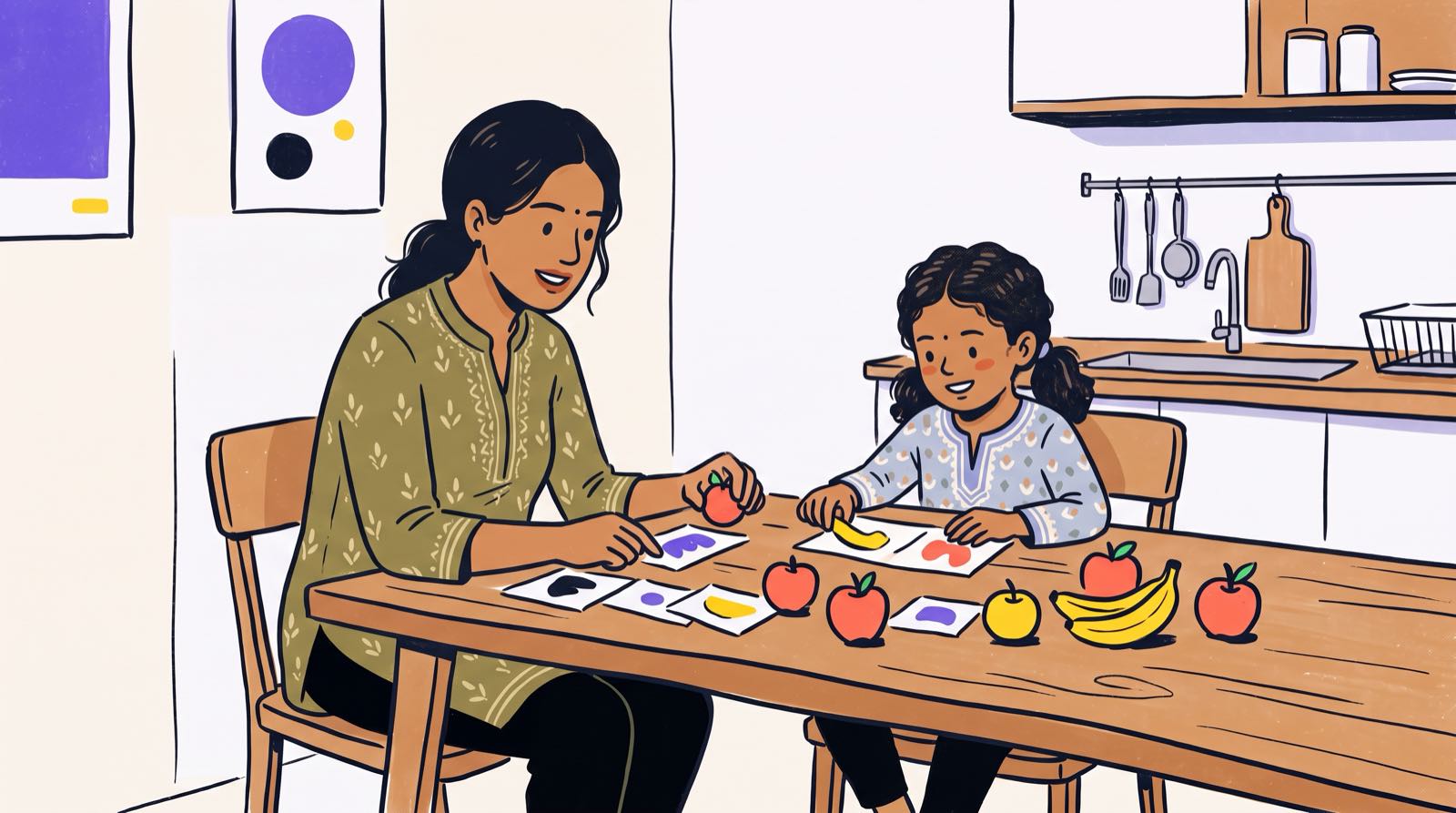
A classifier is an algorithm that sorts data using features, shape, colour, texture. Teachers already use unplugged sorting tasks to introduce machine learning to early childhood students [6], and the fruit bowl on your counter works just as well as any classroom kit.
Materials Needed
- 2 red apples.
- 2 yellow lemons or bananas.
- 1 red rubber ball or red toy tomato.
- 1 plastic yellow toy duck or yellow block.
- 2 large dinner plates.
How to Play
- Place the two dinner plates on the table. Label one plate "Group A" and the other "Group B".
- Hand your child a red apple and ask them to describe its features (red, round, smooth skin, real fruit).
- Tell your child that you are building a sorting rule for a robot: "Rule 1: If an item is RED and ROUND, put it on Plate A."
- Have your child place the red apples on Plate A.
- Hand your child the red rubber ball or red toy tomato. Ask: "Following our robot's rule, where should this go?"
- Your child will place the red toy on Plate A based on the rule.
- Now ask your child to bite the red rubber ball. When they laugh and decline, ask why.
- Update the classifier rule together: "Rule 2: If an item is RED, ROUND, and EDIBLE, put it on Plate A."
graph TD
    A[Unsorted Kitchen Item] --> B{Is it Red and Round?}
    B -- No --> C[Place on Plate B]
    B -- Yes --> D{Is it Edible Food?}
    D -- No --> E[Reject Toy Item]
    D -- Yes --> F[Place on Plate A]

    style A fill:#f9f9f9,stroke:#333,stroke-width:1px
    style B fill:#e1f5fe,stroke:#0288d1,stroke-width:1px
    style C fill:#ffe0b2,stroke:#f57c00,stroke-width:1px
    style D fill:#e1f5fe,stroke:#0288d1,stroke-width:1px
    style E fill:#ffcdd2,stroke:#d32f2f,stroke-width:1px
    style F fill:#c8e6c9,stroke:#388e3c,stroke-width:1px
Parent Script to Use
"The camera in a phone or a self-driving car does not just know what an apple is. Engineers feed it thousands of pictures and spell out the rules, colour, shape, size. Leave a rule out, and it will happily call a red rubber ball an apple. AI only knows what we train it to measure."
What the child has just done by hand is feature extraction, which sits at the centre of every classification model. Working through it away from a screen builds the same computational thinking habits they will need later at a keyboard.
Activity 3: The Wrong-Answer Hunt (Building Healthy Suspicion)
The biggest risk for a young child using an AI homework assistant is not the wrong answer. It is the wrong answer delivered in a calm, confident, teacherly voice, a behaviour known as hallucination.
Materials Needed
- 4 index cards.
- A pen.
How to Play
- On three index cards, write true, verifiable facts about animals or local Malaysian context:
- "Malaysian tigers live in the jungle."
- "Durian has a sharp spikey shell."
- "Kuala Lumpur has a tall tower called the Petronas Twin Towers."
- On the fourth index card, write an absurd statement phrased in serious, polite language:
- "Goldfish construct tiny brick houses at the bottom of the river to stay warm in winter."
- Shuffle the four cards and read them out in the same confident, formal tone of voice.
- Challenge your child to spot the false statement and explain why it cannot be true.
- Ask your child how they could double-check the true facts using a physical book, asking a teacher, or observing real life.

Parent Script to Use
"I read all four cards in exactly the same serious voice. The goldfish card sounded just as official as the tiger card. AI models do the same thing, polite, confident, and sometimes completely made up. So an AI answer is never finished until you have checked it yourself."
Verification is a habit, and habits form early. If you are also thinking about broader tech balance at home, we cover the warning signs in what to do when a child relies too much on AI.
Activity 4: The Robot Sandwich Game (Why Bad Prompts Get Bad Results)
Prompt engineering means giving an AI model instructions precise enough to act on. Children assume computers fill in the gaps. The Robot Sandwich Game, a long-standing favourite in computer science classrooms, cures that assumption in about fifteen minutes and one loaf of bread.
Materials Needed
- 2 slices of bread.
- A jar of spread (jam, peanut butter, or kaya).
- A butter knife (handled by the parent).
- A blindfold or eye mask for the parent.
How to Play
- Put on the blindfold and announce that you are a household robot programmed to make a sandwich. You have zero common sense and follow commands literally.
- Ask your child to give you step-by-step vocal prompts to make the sandwich.
- Follow their instructions with absolute literal precision:
- If the child says "Put the jam on the bread", place the entire unopened jar of jam on top of the loaf of bread.
- If the child says "Cut the bread", press the handle of the knife onto the middle of the bread.
- If the child says "Spread the butter", rub your bare fingers across the spread jar.
- Pause after each step to allow your child to refine their instructions: "Error detected. Command unclear. Please re-prompt."
- Continue until your child gives detailed, sequential commands: "Pick up the knife by the handle, open the lid of the jar, dip the blade into the kaya, and rub the blade across one side of the bread slice."
Parent Script to Use
"Computers are not mind readers. An AI tool cannot guess what you want unless you explain the context, the exact steps, and the final goal clearly. When people get poor results from AI, it is usually because they gave the robot vague instructions."
Underneath the mess, your child has practised procedural decomposition, breaking a goal into ordered, unambiguous steps. Controlling technology starts with thinking that clearly.
Activity 5: What Should a Robot Never Decide? (First Ethics Conversation)
Some tasks belong to machines. Some belong to people, because they need empathy, values or judgment. Eight- and nine-year-olds can sort that distinction out surprisingly well once you give them the cards.
Materials Needed
- 8 index cards with different daily scenarios written on them:
- Deciding what color socks to wear today.
- Calculating .
- Deciding who gets to be your best friend.
- Sorting recycling trash into plastic and paper.
- Deciding whether to apologize after hurting someone's feelings.
- Translating a sentence from English to Bahasa Melayu.
- Deciding which student wins a school kindness award.
- Setting a timer for baking cookies in the oven.
- Two paper sheets labeled "Robot Can Decide" and "Human Must Decide".
How to Play
- Spread the two labeled paper sheets on the kitchen table.
- Hand the scenario cards to your child one by one.
- Have your child place each card on the appropriate sheet and explain their reasoning.
- Encourage discussion on ambiguous cards, such as choosing school awards or choosing friends.
Parent Script to Use
"Counting numbers, sorting rubbish, setting timers, computers are excellent at all of it, because those jobs follow clear rules. But a computer has no heart and no sense of right and wrong. Friendship, kindness, fairness, saying sorry: those need a person. Let machines do the calculating. Never let them do the choosing."
The ethics modules in Northwestern University's AI Unplugged framework take the same route into data privacy, algorithmic fairness and human oversight [8].
Answering the Three Questions Kids Always Ask Next
Finish the activities and the questions get bigger. Here are three that come up almost every time, with answers drawn from research and founder doctrine.
Question 1: "Is AI alive?"
Parent Answer Script: "No, AI is not alive. It does not eat, sleep, feel happy, or have a heart. It is a piece of computer code running on electricity, similar to a very complex microwave or pocket calculator. It can use words that sound friendly, but it is simulating language patterns it read in books, not expressing personal feelings."
Remember that 94.6% of young children already know AI is not biologically alive, while over half still credit synthetic agents with agency [4]. The gap is where the confusion lives, and clear boundaries close it.
Question 2: "Is the computer smarter than you, Mum and Dad?"
Parent Answer Script: "The computer can read millions of books in seconds and solve giant math problems faster than any human. But speed is not the same as real intelligence. The computer cannot understand a joke, feel love for our family, or know what it feels like to fall off a bicycle. It has a bigger memory library, but human beings have wisdom, common sense, and real understanding."
Question 3: "Will a robot take my job when I grow up?"
Parent Answer Script: "Technology has always changed how people work. When cars were invented, people stopped driving horse carriages and learned to drive cars instead. AI will take over boring, repetitive tasks like sorting files and typing data. The adults who succeed in the future will be the ones who know how to direct AI tools to build useful projects. That is why learning how these tools work today ensures you remain in control."
We have mapped how those skills develop over time in our breakdown of what AI-savvy looks like at ages 8, 12, and 16.
How Kidocode Teaches AI to Young Children
We do not treat screen time as a problem to be stamped out. We treat it as raw material. Unclecode's framing: take the four hours a child already spends gaming or watching video, and convert them into four hours of building.
Kidocode is an AI school first, then math through builds, with tech and coding bundled in. Coding is not a standalone paid subject here, because coding syntax has become public knowledge available to anyone who asks for it. What we teach is computational thinking, problem decomposition, and how to direct an algorithm.
flowchart LR
    A[Passive Screen Time] --> B[Unplugged Concepts at Home]
    B --> C[Guided Scratch/Roblox Builds]
    C --> D[AI-Assisted Text Coding]
    D --> E[Active Creator & Builder]

    style A fill:#ffe0b2,stroke:#f57c00,stroke-width:1px
    style B fill:#e1f5fe,stroke:#0288d1,stroke-width:1px
    style C fill:#c8e6c9,stroke:#388e3c,stroke-width:1px
    style D fill:#bbdefb,stroke:#1976d2,stroke-width:1px
    style E fill:#d1c4e9,stroke:#512da8,stroke-width:1px
1. AI-Savvy First (Ages 5 to 18)
Children learn to direct AI models safely from their first session. For students aged 5 to 8, Scratch and custom robotics entry points act as the engagement layer. Paired with personalised AI tutoring support, those kids reach text-based coding in languages like Python far faster than the old linear visual-coding path allowed.
2. Math Through Builds (Ending Math Anxiety)
Malaysian parents tell us constantly that their child hates math or cannot memorise formulas. Our answer: the child is fine, the memorisation-first method was not. We follow international math standards, IGCSE, Cambridge, US Common Core, but deliver the syllabus through building rather than worksheets. Give a 7-year-old geometry to calculate a character's jump trajectory, or probability to code randomised game spawns, and the anxiety tends to disappear inside two to four weeks.
3. Comprehensive Tech Tracks
Our technology curriculum covers six structured development tracks:
- Python Programming
- Web Development
- Mobile App Development
- Game Development
- Electronics & Hardware
- 3D Design & Modelling
Because coding sits inside the core structure, every student works across hardware and software without paying an extra fee per subject tier. The reasoning is laid out in why coding is bundled free, and the method in how we teach.
Kidocode runs five physical campuses across Malaysia:
- Klang Valley: Solaris Mont Kiara (HQ flagship campus) and Sunway Nexis (Kota Damansara, Petaling Jaya).
- Penang: Q2 Waterfront (Bayan Lepas flagship), Vantage (Tanjung Tokong), and Icon City (Bukit Mertajam).
There is also a fully equivalent live online programme, with live trainers and mandatory camera-on interaction, for families outside KL and Penang.
Actionable 4-Week Kitchen-Table Roadmap
One activity a week, no cramming. This is the progression we suggest to parents moving from kitchen conversations toward structured technical skills:
| Week | Focus Area | Home Goal | Recommended Activity | Next Step |
|---|---|---|---|---|
| Week 1 | Pattern Guessing | Understand that AI predicts patterns rather than thinks. | Run Activity 1 (Next-Word Guessing Game) at dinner. | Replace anthropomorphic words ("thinks", "knows") in daily speech. |
| Week 2 | Rules & Feature Sorting | Grasp how classification algorithms group real-world objects. | Run Activity 2 (Sorting the Fruit Bowl) on the weekend. | Point out real-world camera sensors (facial unlock, automatic doors). |
| Week 3 | Hallucination & Accuracy | Develop healthy skepticism toward synthetic output. | Run Activity 3 (The Wrong-Answer Hunt) after school. | Establish a household rule: always verify homework answers using two sources. |
| Week 4 | Precise Instructions | Practice giving clear, sequential steps without ambiguity. | Run Activity 4 (Robot Sandwich Game) with family. | Experience a hands-on live project session with real trainers. |
Printable Kitchen-Table AI Log
Want to see how your child handles a real build? Free trial classes run at our Solaris Mont Kiara flagship, Sunway Nexis PJ, the Penang branches, and live online. Reserve a weekend slot on our free trial registration page. We ask both parents to sit in on the 2-hour session, because watching a child produce a real artifact on day one tends to answer more questions than we can.
- Week 1 Completed: Played the Next-Word Guessing Game and established non-anthropomorphic home vocabulary.
- Week 2 Completed: Conducted the Fruit Bowl Classifier activity and identified 3 physical sensors around the home.
- Week 3 Completed: Ran the Wrong-Answer Hunt and created a household fact-checking checklist for homework.
- Week 4 Completed: Executed the Robot Sandwich Game to practice precise prompt instructions.
Designed, ready to print and sign. We email it to you together with a 5% discount on your next registration.
Frequently Asked Questions
Is 6 years old too young to start learning about artificial intelligence?
Not if the teaching runs on physical, screen-free metaphors. Six-year-olds already interact with recommendation algorithms and voice interfaces daily. Introducing pattern recognition through tangible games heads off the magical-thinking stage and starts critical thinking early.
Does my child need prior coding experience to try these activities?
None at all, and no computer either. All five activities use household items, paper, fruit, bread, index cards. They target computational thinking, logic and instruction design, which is the conceptual groundwork under computer science.
How do screen-free kitchen activities connect to real computer coding?
They teach procedural logic, algorithmic sorting, prompt specificity and debugging. When a child later moves to visual coding blocks or to Python, those same mental frameworks are what they use to assemble working software.
What is the difference between AI literacy and traditional coding classes?
Traditional coding classes focus on syntax, how to write lines of code by hand. AI literacy covers directing intelligent tools, judging synthetic outputs, reading data patterns and structuring hard problems. At Kidocode, coding is bundled as a basic execution layer while AI literacy and computational thinking lead.
How can I tell if my child is relying too heavily on AI for schoolwork?
Watch for copied answers they have not read, an inability to explain how a solution was reached, and the assumption that AI output is automatically correct. Home activities like the Wrong-Answer Hunt make the case that AI needs human oversight and verification.
How does Kidocode handle AI instruction for primary school children?
Students aged 5 to 8 work through engaging project layers, Scratch, Roblox, physical electronics, with personalised AI tutor support alongside. They build real projects, pick up international math concepts through application, and learn safe, practical AI direction under trainer supervision.
References
- AAAI & CSTA, AI4K12 Initiative: National Guidelines for K-12 AI Education (2024)
- MIT Media Lab, Primary School AI Education Project (2019)
- Dangol et al., Children's Mental Models of AI Reasoning: Deductive, Inductive, and Inherent Models in Grades 3–8 (arXiv, 2025)
- Langer et al., Children Discriminate Human vs AI-Generated Content at or Below Chance: Empirical Study of Ages 6–10 (Technology in Society / PMC, 2026)
- Kim et al., Prefrontal Cortical Activation and Anthropomorphism in 5–6 Year Old Children Interacting with Conversational AI (International Journal of Human–Computer Interaction, 2026)
- Vandenberg et al., Co-Designing Screen-Free Early AI Literacy Curricula for K–2 Classrooms (AAAI / EAAI Symposium, 2026)
- UNICEF & Ministry of Education Malaysia, SiPKPM: National AI-Powered Early Warning System for School Retention (2026)
- Northwestern University Creative Interfaces Studio, AI Unplugged: Open-Access Screen-Free AI Literacy Curriculum (NSF Grant DRL 2343693)