


Ask any parent in Kuala Lumpur, Petaling Jaya, or Penang who shopped for a coding class three years ago and again last month: the brochures look the same, but the ground underneath them has moved. AI tools now write working code in seconds. Learning syntax by hand, one line at a time, is no longer the point of the exercise.
So what should you be paying for instead? This guide gives you an 8-point checklist, a format comparison for Malaysian families, age-by-age learning pathways, and six questions to ask during a trial class before you sign anything.
Table of Contents
- Key Takeaways
- The 2026 Shift: Why Traditional Coding Classes Are Changing
- The 8-Point Parent Checklist for 2026
- Will AI Make Learning to Code Obsolete?
- Understanding Pricing Structures in Malaysia
- Format Comparison: Physical, Online, Intensives, and Apps
- Age-Stage Learning Pathways (Ages 5 to 18)
- Red Flags When Choosing a Coding School
- How to Run a Trial Class Like an Audit
- The Kidocode Approach: AI, Math, and Tech Combined
- Printable Parent Evaluation Checklist
- Frequently Asked Questions
- References
Key Takeaways
| Feature / Criteria | What Traditional Coding Classes Offer | What to Demand in 2026 |
|---|---|---|
| Primary Focus | Memorising block code syntax or basic text commands | Computational thinking and directing AI tools to build complex systems |
| Project Delivery | Practice worksheets and canned tutorials | Working applications, Roblox/Minecraft mods, and real software builds |
| Mathematics Integration | None, treated as an entirely separate academic subject | Math embedded directly inside game physics, graphics, and algorithm logic |
| Tool Rules | Banning AI assistants to focus on manual syntax typing | Teaching safe, direct prompt engineering and code review alongside manual coding |
| Pricing Model | Fixed term contracts or rigid hourly packages | Flexible memberships, transparent session structures, and unbundled coding |
The 2026 Shift: Why Traditional Coding Classes Are Changing
For more than a decade, "learning to code" meant dragging colour-coded blocks across a screen or typing the same syntax patterns until they stuck. That work still has a place, but generative AI writes baseline code instantly now. Once syntax is essentially free, a programme earns its fee somewhere else: in logic, in breaking problems apart, in designing how the pieces of a system fit together.
Policy is catching up. The Malaysia Digital Economy Corporation (MDEC) set up community Digital Maker Hubs so young people build functional digital products, from websites to robotics, instead of absorbing computer science theory in isolation [1]. Internationally, UNESCO reports that eleven countries have introduced formal K-12 AI and computational curricula [2].
The practical takeaway for anyone comparing coding classes for kids: look past the marketing and work out whether the school teaches children to think, or to copy.
The 8-Point Parent Checklist for 2026
Use these eight criteria when you visit a school or get one on the phone.
1. Does the Class End in a Real Build or a Paper Certificate?
A certificate proves attendance. It proves nothing about capability. In a good programme, your child walks out of each session with something that runs: a game script, a web interface, an AI workflow they designed and tested themselves.
2. Does the School Teach with AI Tools or Ban Them?
A ban on modern development tools slows students down for no good reason. Research published in PLoS ONE shows computational thinking is a strong predictor of AI literacy [3]. Ask how the school teaches kids to use AI assistants safely to generate, debug, and review code so they can get past syntax bottlenecks and into the actual problem.
3. Is Mathematics Embedded Inside the Build?
Plenty of families pay twice: once for math tuition, once for coding. Isolated drills create friction, though, and the two subjects rarely speak to each other. A modern curriculum folds syllabus-aligned concepts (coordinates, vectors, variables, geometry) into the software itself. A child who needs geometry to work out a collision angle in their own game is using math as a tool, not grinding through homework.
graph TD
    A[Child Wants to Build a Game] --> B[Encounters Problem: Object Collision]
    B --> C[Applies Coordinate Geometry & Vectors]
    C --> D[AI Assistant Helps Refine Physics Script]
    D --> E[Working Game Mechanics + Practical Math Mastery]
4. Is Coding Unbundled from Thinking Skills?
Syntax changes. Computational thinking does not. Find out whether the school treats coding as the whole point or as the execution layer sitting on top of logic, problem decomposition, and system design.
5. What Is the Actual Trainer-to-Student Ratio?
Ask for the real number, not the brochure number. Past roughly six to eight students per instructor with no real-time feedback loop, children spend a lot of the lesson sitting with broken code, waiting for a hand.
6. Is There a Skill Tree and Parent Visibility?
"What did you learn today?" "Stuff." That exchange is a symptom of a school with no reporting layer. Ask to see the learning dashboard or skill progression tree, and check that completed projects, badges, and instructor notes are all recorded there.
7. Does the Ladder Move Beyond Drag-and-Drop Early?
Block-based platforms like Scratch work well for introductory logic. Staying on them for years does not. With AI code completion available, children can move into text-based languages such as Python considerably earlier than the old timelines suggested.
8. Are There Hidden Add-On Fees?
Materials, software accounts, competition preparation, portfolio hosting: confirm these sit inside the baseline fee rather than arriving later as compulsory extras.
Will AI Make Learning to Code Obsolete?
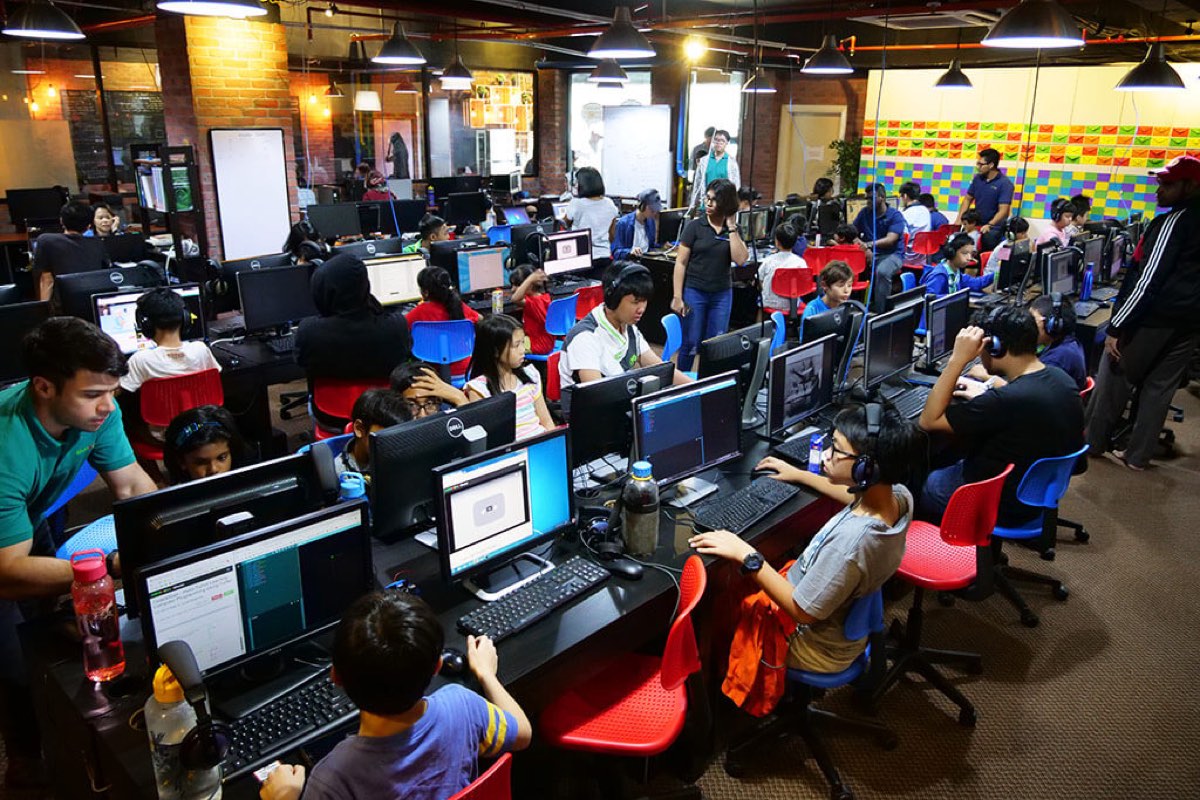
In early 2024, Nvidia CEO Jensen Huang said publicly that young people might no longer need to learn traditional coding, since natural language would become the primary programming interface [4]. The comment travelled fast, and a lot of parents started questioning whether technical education was still worth funding.
The counter-evidence is worth reading. Industry analyst Patrick Moorhead pointed out that the "death of coding" has been announced regularly for thirty years without demand for software development ever disappearing [4]. Freelance marketplace tracking by Bloomberry found that software development positions actually rose by 6% after ChatGPT launched [4].
What has changed is the balance of the work. Coding in 2026 is less about typing characters and more about architecture. AI produces snippets; a human still decides the structure, checks the security, fixes the logic, and directs the prompt sequence. If anything, coding assistants let students attempt ambitious projects several years earlier than they used to.
Understanding Pricing Structures in Malaysia
Two commercial structures dominate the Malaysian market:
- Fixed Term / Semester Tuition Models: Much like a tuition centre or music school, you pay a set fee for a set schedule, typically one fixed slot per week.
- Flexible Credit / Membership Models: Higher-end STEM academies run credit banks or tiered memberships, with hours drawn down across weekends, weekdays, and holiday intensive blocks.
Resist the urge to divide the fee by the hours and stop there. The more useful question is what the membership actually contains:
- Is a personal AI tutor provided for homework support?
- Are software tools, server hosting, and game engine passes included?
- Does the package grant access to multiple tracks (e.g., Python, web development, electronics, and mathematics) under a single rate?
For full details on membership structures, session flexibility, and current offers, view our transparent pricing packages.
Format Comparison: Physical, Online, Intensives, and Apps
The right delivery channel depends on your family schedule, where you live, and how your child concentrates.
| Format | Pros | Cons | Best Suited For |
|---|---|---|---|
| Physical Campus (KL / PJ / Penang) | Peer collaboration, direct physical hardware access (microelectronics, 3D printing), zero home distraction | Requires commuting through traffic during peak weekend hours | Younger children (ages 5-10) who benefit from physical hands-on hardware and structured supervision |
| Live Online Sessions | No commuting, flexible scheduling, direct screen-sharing for fast debugging | Requires a stable home internet setup and baseline student discipline | Teens (11-18), busy families, or students living outside main urban centers |
| Holiday Intensives | Rapid skill building during school breaks, dedicated project focus | High concentration of hours over a short timeframe without weekly reinforcement | Students testing interest before committing to long-term learning pathways |
| Self-Paced Apps | Low entry barrier, gamified interface | High drop-off rate, lack of personal accountability or real project output | Initial exposure or informal play at home |
Age-Stage Learning Pathways (Ages 5 to 18)
Children arrive at cognitive milestones on their own timetable. A well-run school matches its tools to the child in front of it rather than pushing everyone through the same fixed curriculum.
Ages 5 to 8: Foundational Logic & Visual Engagement
- Primary Objective: Building computational thinking without typing friction.
- Tools: ScratchJr, Scratch, Micro:bit hardware, and basic robotics.
- Core Concepts: Sequencing, loops, event triggers, and basic spatial coordinates.
- Approach: Platforms like Scratch give instant visual feedback, which is exactly what this age needs. The lesson underneath the fun is that instructions run in a precise order.
Ages 9 to 12: Applied Mechanics & Text Acceleration
- Primary Objective: Transitioning from block platforms to real text programming.
- Tools: Roblox Lua, Minecraft Python, HTML/CSS, and introductory Python.
- Core Concepts: Variables, conditional logic, arrays, physics vectors, and introductory AI prompts.
- Approach: Familiar worlds like Roblox and Minecraft carry the motivation. With AI assistants filling in syntax prompts, children in this bracket can write working text-based code without stalling. Our analysis of Scratch vs. Python covers this transition in detail.
Ages 13 to 18: Full-Stack Development & AI Workflows
- Primary Objective: Professional toolstacks, system architecture, and portfolio creation.
- Tools: Python, JavaScript, Web frameworks, Git repositories, terminal commands, and LLM APIs.
- Core Concepts: Object-oriented programming, database management, API integration, prompt engineering, and algorithmic optimization.
- Approach: Teenagers work in real software repositories, shipping web applications, mobile apps, and machine learning models. What they leave with is a portfolio that stands up to scrutiny from a university admissions officer or an internship supervisor.
flowchart LR
    A["Ages 5-8<br>Block Logic & Hardware<br>(Scratch, Micro:bit)"] --> B["Ages 9-12<br>Game Engines & Text Intro<br>(Roblox Lua, Python)"]
    B --> C["Ages 13-18<br>Full Stack & AI Architectures<br>(Web Apps, Git, APIs)"]
Red Flags When Choosing a Coding School
Five warning signs worth taking seriously:
- Undefined Instructor Ratios: Big classes with no assistant trainers mean the students who fall behind stay behind.
- Static Year-Long Syllabi: A curriculum written years ago, with no AI integration since, is teaching habits your child will have to unlearn.
- Tuition Center Framing: Memorisation, worksheets, and lectures produce compliant students, not problem solvers.
- No Parent Progress Tracking: If the only communication is a paper report card at term's end, you have no idea what your child can actually do.
- Locked Proprietary Software: Standard open languages (Python, JavaScript, HTML) and mainstream platforms travel with your child. Closed in-house software stops working the day they leave the centre.
How to Run a Trial Class Like an Audit
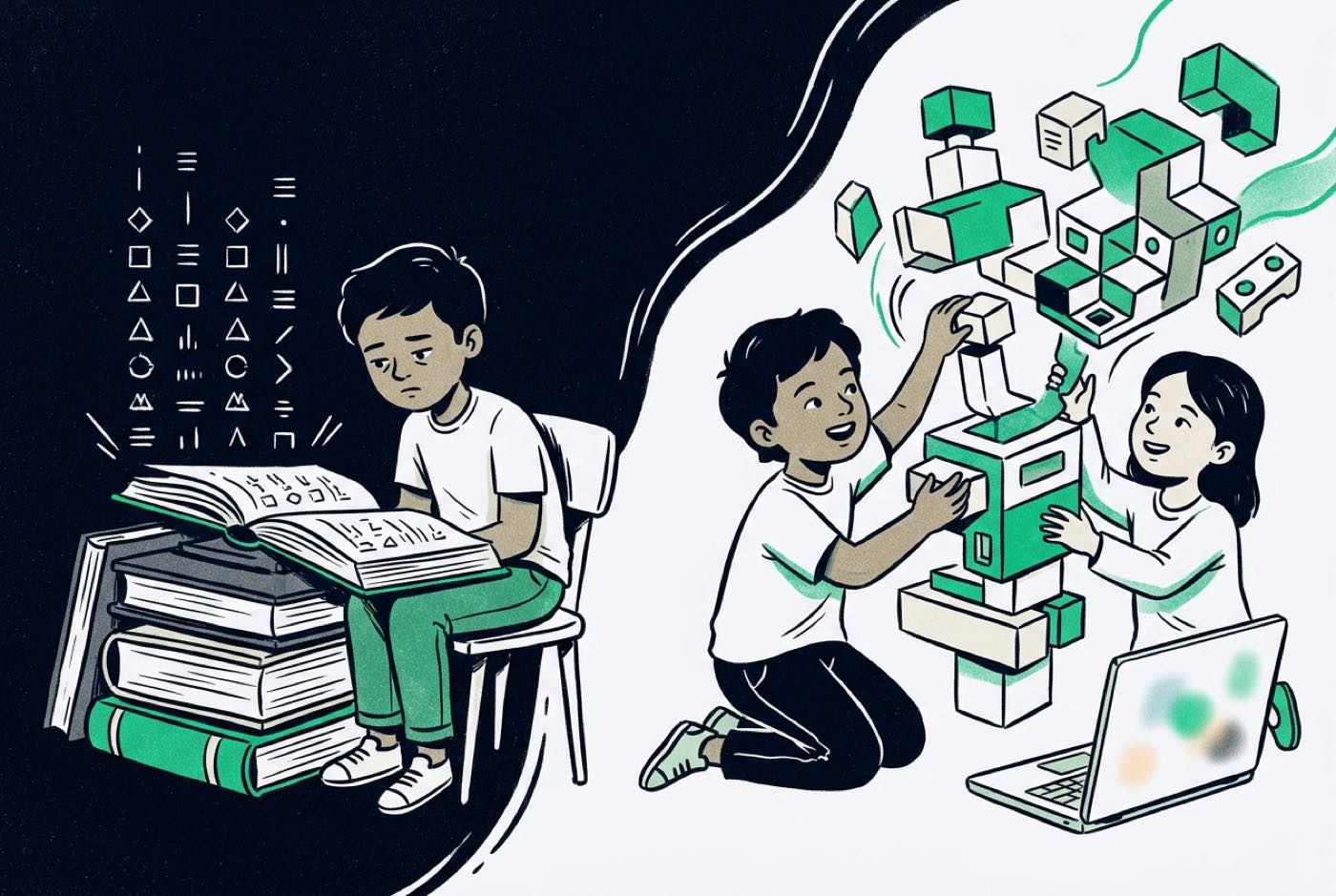
A free trial is a two-way assessment: the school is looking at your child, and you should be looking just as closely at the school. Six things to check while you are in the room:
- Did my child build something functional from scratch? Or did they follow a pre-written template and click 'run'?
- Can my child explain the logic behind their creation? Ask on the drive home: "What happens in the code if we change this variable?"
- How did the instructor handle errors? Did the trainer hand over the answer, or walk the child through debugging it?
- Were modern tools introduced? Did AI or assistant logic come up naturally while solving the problem?
- Is there a clear next step in the learning progression? Ask the centre to show you the exact skill tree path for your child's age group.
- Are both parents invited to observe? Schools that are confident in the session want the family in the room.
The Kidocode Approach: AI, Math, and Tech Combined
Over 11 years we have coached more than 9,500 students across Malaysia and online. We are not a coding bootcamp and not an academic tuition centre. Three pillars hold up what we do:
- AI First: Students learn to direct artificial intelligence tools safely and productively, building computational thinking and ethical judgement side by side.
- Math by Building: Mathematical concepts get mastered inside real code builds, game physics, and algorithms rather than on paper drill sheets.
- Tech & Coding: Coding syntax is unbundled and included free with our membership packages, because code is the execution medium. Computational thinking is the actual product.
Everything runs on kidOS, our own platform, which gives parents a skill progression tree, AI tutoring support, and a live feed of what their child has built. Kidocode was founded by computer scientist and AI researcher Hossein Tohidi (Unclecode), creator of open-source projects such as Crawl4AI, and the curriculum reflects how software is genuinely built today.
You can see it in person at any of our five branches across the Klang Valley and Penang, including Solaris Mont Kiara, Sunway Nexis PJ, and Q2 Waterfront Penang, or join a live interactive session online.
For more on the philosophy behind this, read our guides on how we teach, why coding is bundled free, and the difference between AI literacy versus coding skills.
Printable Parent Evaluation Checklist
Take this with you on school visits and trial classes, and score each provider against it.
- Real Project Output: Does the student complete a working project in the session rather than a theoretical worksheet?
- AI Integration: Does the curriculum incorporate modern AI coding tools and prompt literacy?
- Math Alignment: Are mathematical principles embedded into game physics, graphics, or code mechanics?
- Low Student-Trainer Ratio: Is the class size structured to provide immediate instructor feedback?
Designed, ready to print and sign. We email it to you together with a 5% discount on your next registration.
Frequently Asked Questions
What age is best for a child to start learning to code?
Around age 5, using visual tools like ScratchJr and physical robotics. The goal at that point is sequencing, cause and effect, and pattern recognition, not programming as such. Text-based languages like Python usually land between ages 9 and 12, once reading and typing fluency can support them.
Will learning to code help my child with school mathematics?
Yes. Coordinate systems for character movement, variables for scoring: put abstract math inside a project and it stops being abstract. Parents frequently tell us that applying math inside code builds lifts their child's confidence in school math topics [3]. See our detailed comparison of learning math by building versus traditional math tuition.
Should my child learn Scratch or Python first?
For ages 5 to 8, Scratch, because it removes typing errors and leaves all the attention on logic. From age 9 upwards, children can go straight into Python when AI code assistants are there to absorb the syntax friction.
Are physical classes better than online coding classes?
Neither wins outright. Physical classes give hands-on hardware (microelectronics, 3D modelling, robotics) and peer collaboration. Online classes give scheduling freedom and mirror how remote software teams actually work. Both produce strong results provided the instructor is live and the group stays small.
What hardware is required for my child to learn coding at home?
For introductory visual programming, any standard laptop or tablet with a browser will do. For text-based development, 3D modelling, game engines like Roblox Studio or Unity, and AI tools, aim for a mid-range Windows or Mac laptop with at least 8GB of RAM.
How do I know if a coding class is worth the financial investment?
Judge it by what your child can do. Are they building projects on their own initiative, explaining their code logic, reaching for mathematical concepts without flinching? Then the money is working. If the programme amounts to passive screen consumption with nothing built at the end of it, it is not.
Ready to see how your child responds to project-first learning? Book a free 2-hour hands-on trial class at our Solaris Mont Kiara, Sunway Nexis, or Penang campuses, or join live online. Both parents are welcome to attend, observe, and watch their child build a real project from scratch.
References
- Malaysia Digital Economy Corporation (MDEC), Digital Maker Hub Directory (2022)
- Choi et al., International K-12 Artificial Intelligence Curricula & Assessment Frameworks (Preprints, Aug 2025)
- Li et al., Computational Thinking and AI Literacy Structural Modeling (PLoS ONE / PubMed Central, May 2026)
- Tom's Hardware, Industry Commentary on AI, Coding Skills, and Market Job Trends (Feb 2024)
- Cotino-Arbelo et al., Computational Thinking and AI Literacy Analysis Among Early Learners (IEEE EDUCON / ResearchGate, Apr 2025)
- Kidocode Official Educational Architecture & Platform Directory (2026)